1
Step 1
Select Your Goal
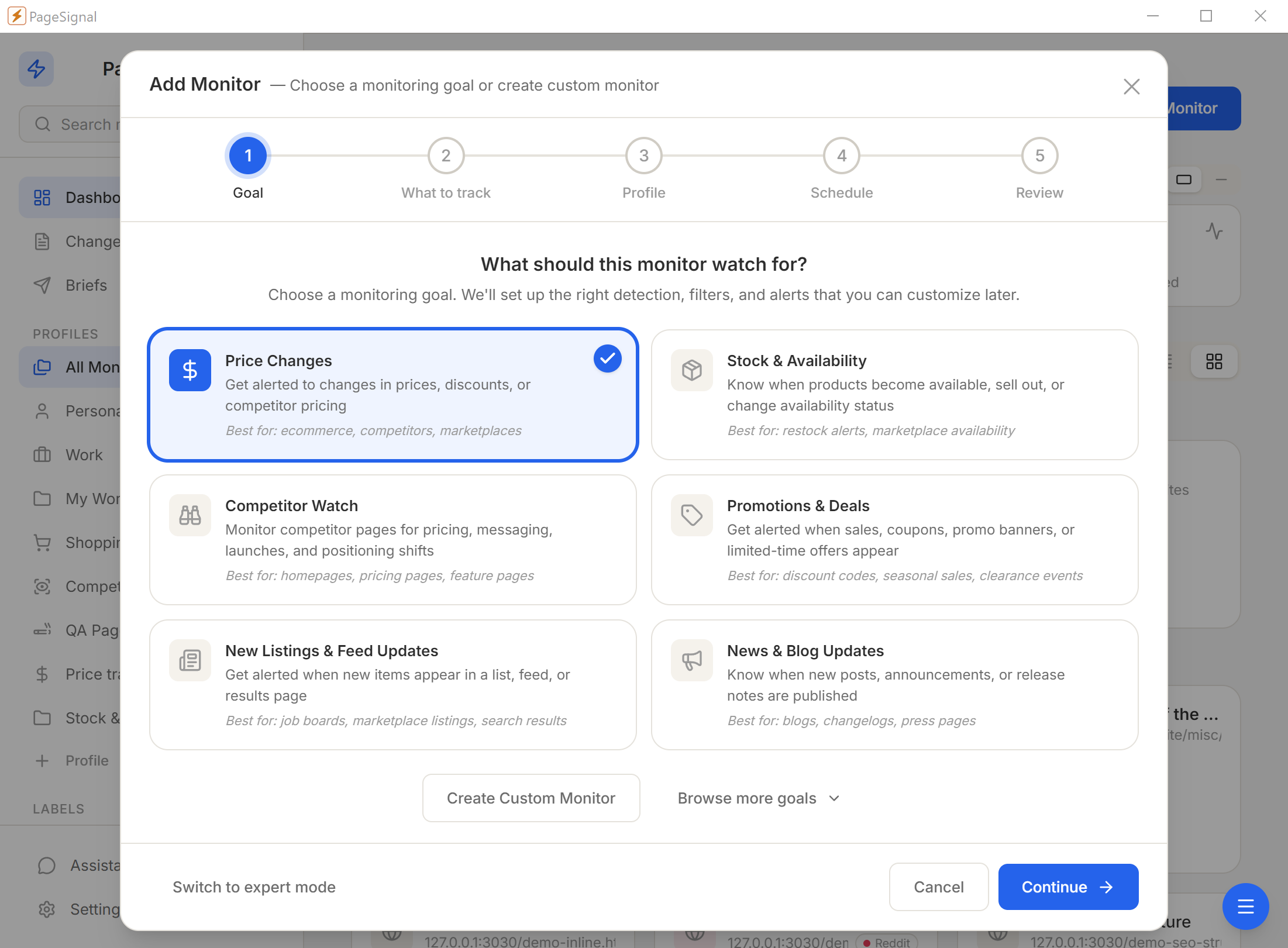
What should this monitor watch for? We'll set up the right detection, filters, and alerts that you can customize later.
Visual, layout, and text monitoring for agencies managing client sites, franchises tracking regional pages, and legal teams ensuring required disclaimers stay in place.
Websites change constantly, and most of those changes happen without a formal approval process. A developer pushes a CSS fix that shifts the logo. A CMS editor updates a headline and deletes the required legal disclaimer below it. A third-party widget updates its embed code overnight, reshuffling your homepage. None of these changes trigger a review. The first person who notices is often a customer.
For agencies managing ten, twenty, or fifty client sites, the exposure compounds. Each site is a separate environment with its own editors, integrations, and release cadence. Manual spot checks are not repeatable, not comprehensive, and not fast enough. You are always reviewing what already happened, not what is happening now.
"The first person who notices an off-brand homepage should not be a customer."
PageSignal watches every approved page on every site you manage and tells you the moment something deviates. Set a baseline, walk away, and act only when an alert fires.
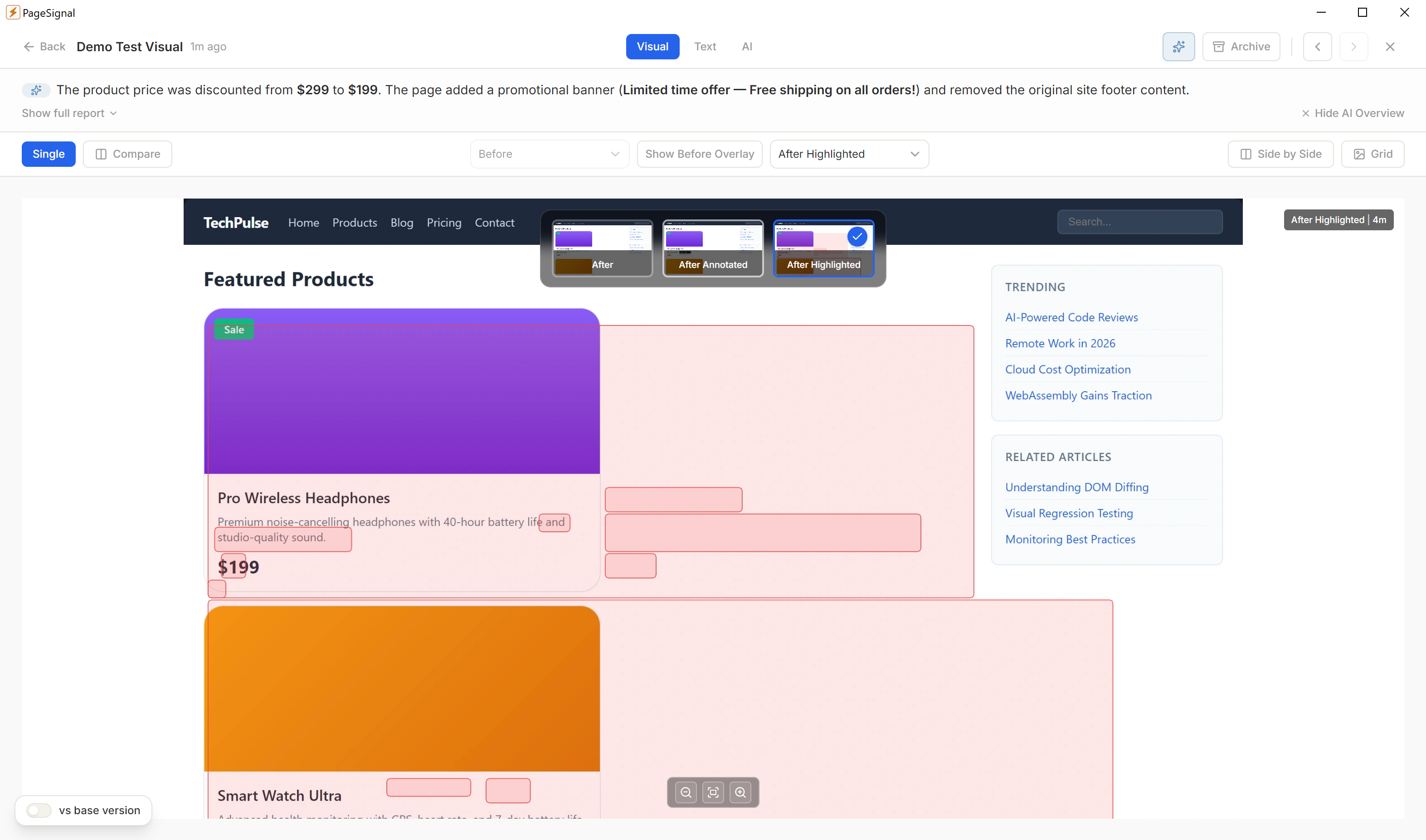
Pixel-level comparison catches the subtle drift manual review misses — a shifted button, a font-weight change, a color one step off-brand. The pinned baseline is the approved reference; future drift is always measured against it, not against yesterday's state. Rebaseline when an intentional update deploys; keep history for audit or clear for a fresh start.
Visual changes are often the visible result of structural changes underneath. A missing navigation item, a footer section that disappeared after a template update, a sidebar shifted after CMS migration. Layout detection works at the DOM level — tracks presence, position, and order of structural elements — and catches structural changes even on pages with dynamic content that visual diff would mark as noise.
Unauthorized text changes are the most common — and most consequential — form of brand deviation. A CMS editor corrects a typo and changes a legal-approved product claim. Required disclaimers disappear from a page. Phrase match rules with direction set to "disappears" alert when required text is absent, not when it is present as expected. Regex mode catches patterns like copyright years across regional variants.
Profiles group monitors by client or by region — switch profiles to focus on one client at a time without changing settings. Labels add a cross-cutting layer: tag by page type (homepage, product, checkout, legal) and filter the dashboard to see all legal pages across every client at once. The change log gives compliance teams an auditable trail of every detected change.
Visual diff catches design changes, layout detection catches structural changes, text rules catch unauthorized copy edits — without manual spot checks.
Monitor every region's pages from a single dashboard. Baseline against the corporate template. Get alerted when a regional team deviates from brand standard.
Side-by-side monitors for staging and production URLs. After every deploy, visual diff confirms what went live matches what was approved.
Phrase match rules with direction "disappears" fire only when required text is absent. Cover every compliance-sensitive page with a monitor that runs independently of deployment notifications.
Pin the baseline after design sign-off. After each deploy, visual diff runs automatically and flags pixel-level regressions. The annotated diff shows exactly which elements changed.
Monitor campaign landing pages during active promotions. Visual diff and text diff together catch both banner image changes and copy changes — alert on any deviation from approved creative.
Track legal pages for any content modification. Text diff provides a full record of every word change. The change log creates an audit trail for regulatory inquiries and legal discovery.
Watch brand-owned product pages for description, pricing, and feature claim drift. Regex rules verify required certification language remains present.
Text, layout, visual diffs, price/number tracking, SEO signals, and AI-evaluated changes. Run one alone or combine them with AND/OR gating on the same monitor.
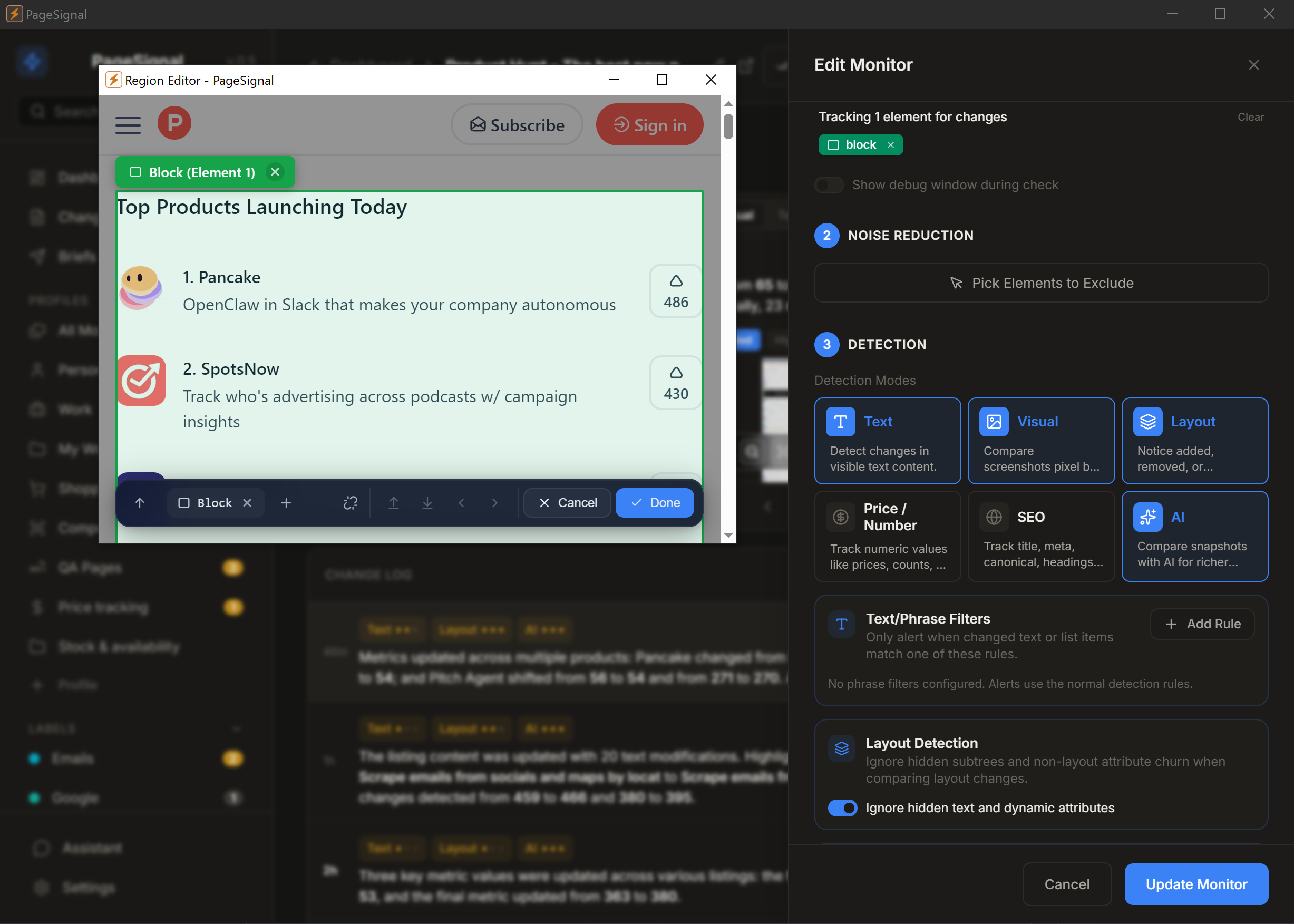
Select any element on a page to monitor just that — a price, button, paragraph, anything.
Get a daily brief of what matters most across the pages you watch.
Strips ads, timestamps, and carousels. Only real changes reach you.
Checks pages in a real browser so JavaScript, sessions, and dynamic content render correctly.
Set rules like "notify me only if price drops below $50" or "alert when 'Sold Out' disappears."
OpenAI, Anthropic, Google Gemini, or local Ollama. Your key, your model, your route — plain-English summaries of every change.
Reuses your active browser session to monitor pages behind authentication.
Human-like rendering with jitter bypasses Cloudflare and bot detection.
Email for critical pages · Webhook into project management or ticketing · Telegram for on-call brand managers.
No accounts, no cloud, no complicated setup.
What should this monitor watch for? We'll set up the right detection, filters, and alerts that you can customize later.
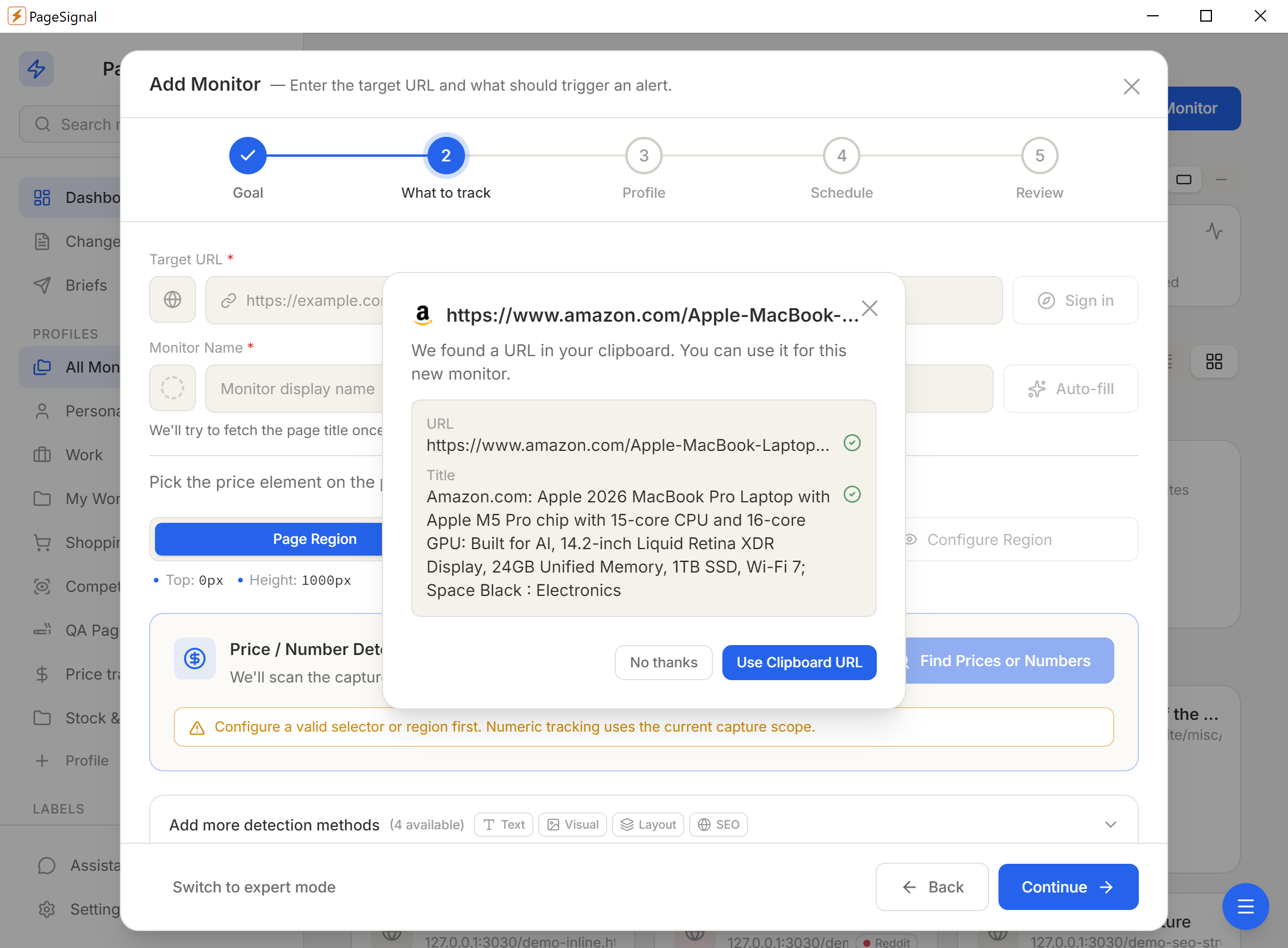
Pick one of six detection modes — or combine them with AND/OR gating on a single monitor.
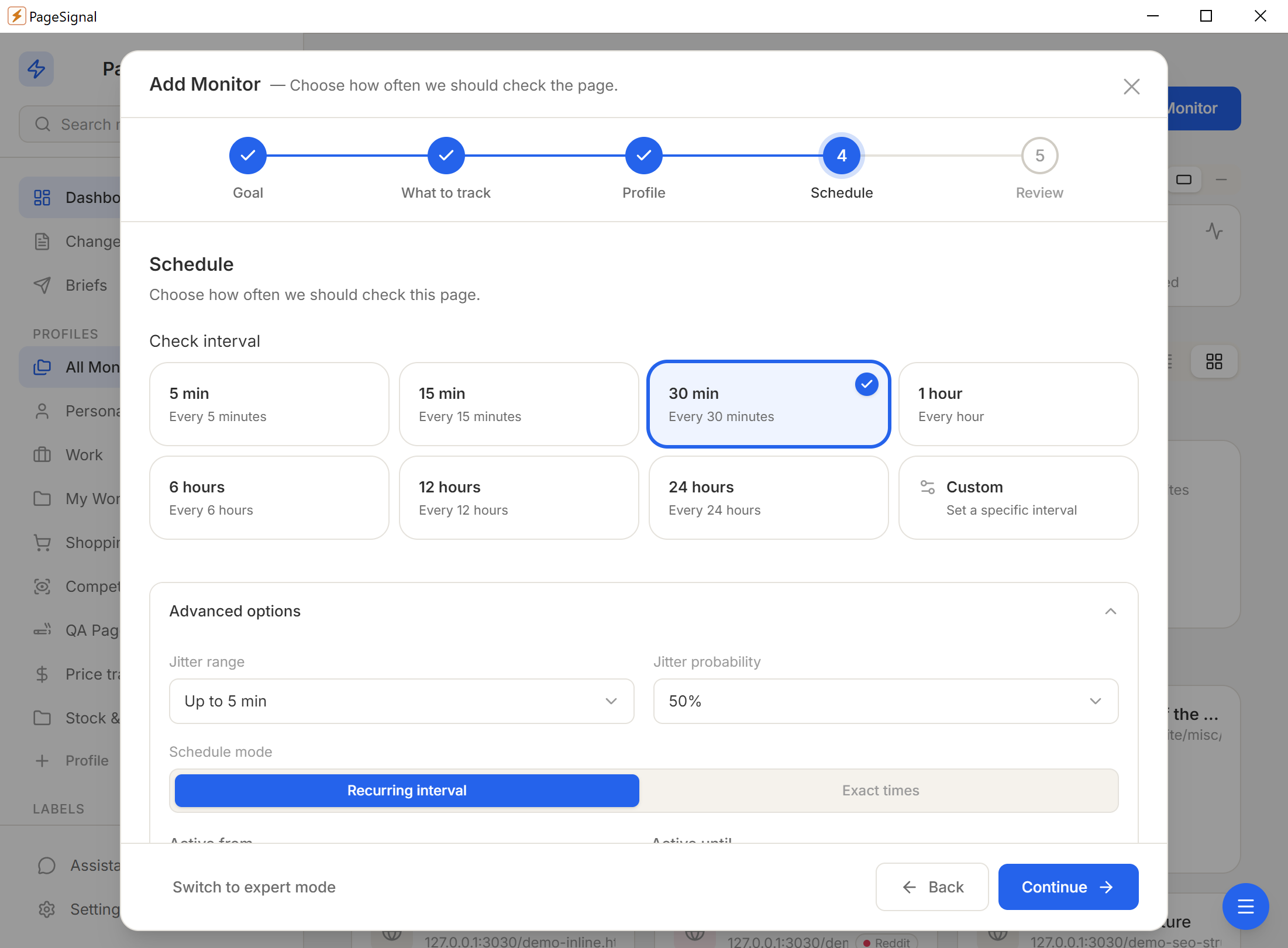
Schedule (60s–24h), text match rules, price thresholds, AI focus instructions, noise filters.
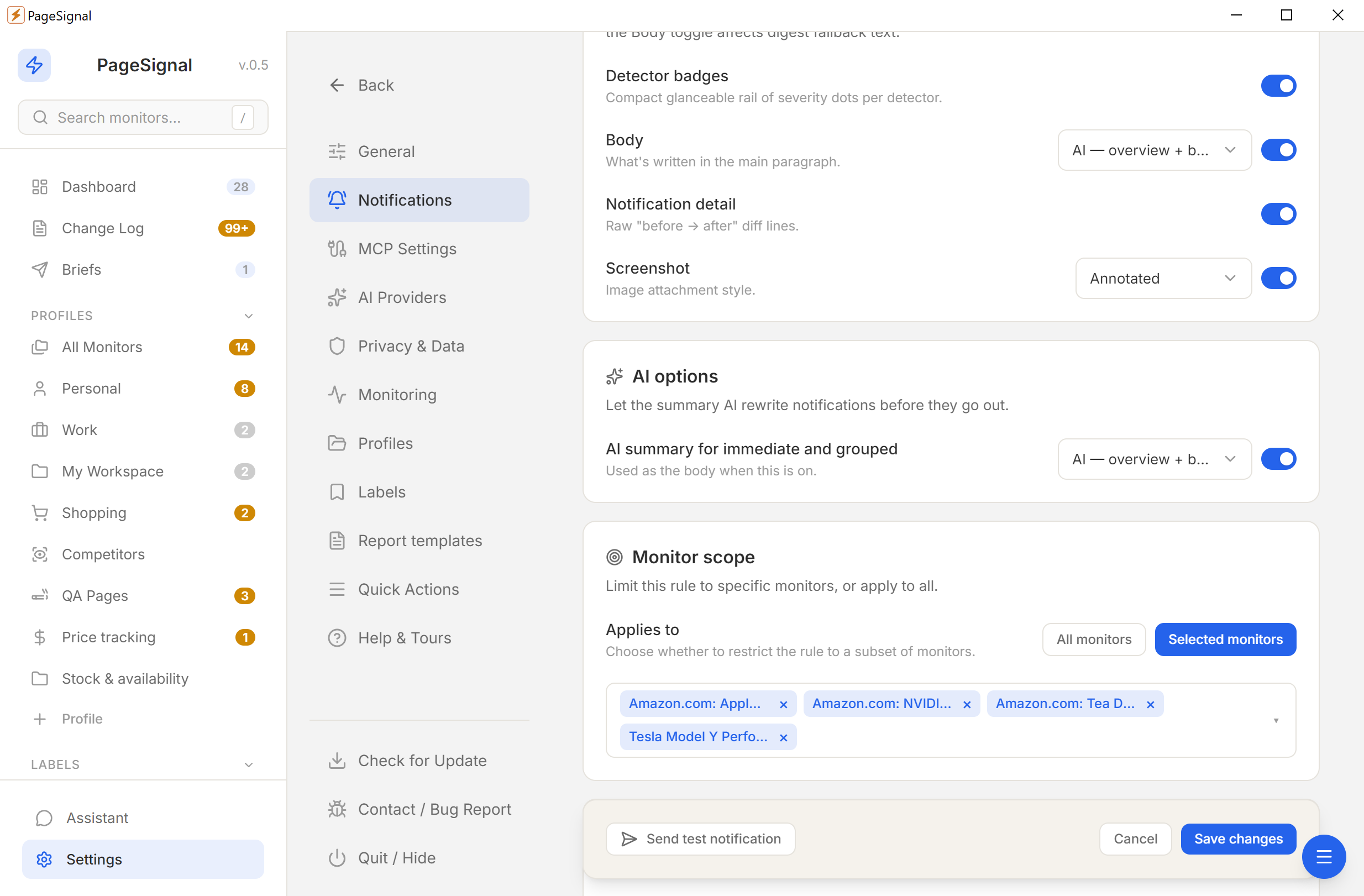
Desktop, email, Telegram, or webhook — immediate, grouped, or digest.
No accounts. No cloud. No tracking. Everything stays on your device.
Nothing touches a remote server.
No sign-ups or personal info.
No analytics, no phone-home.
YML and ZIP backups, anytime.