1
Step 1
Select Your Goal
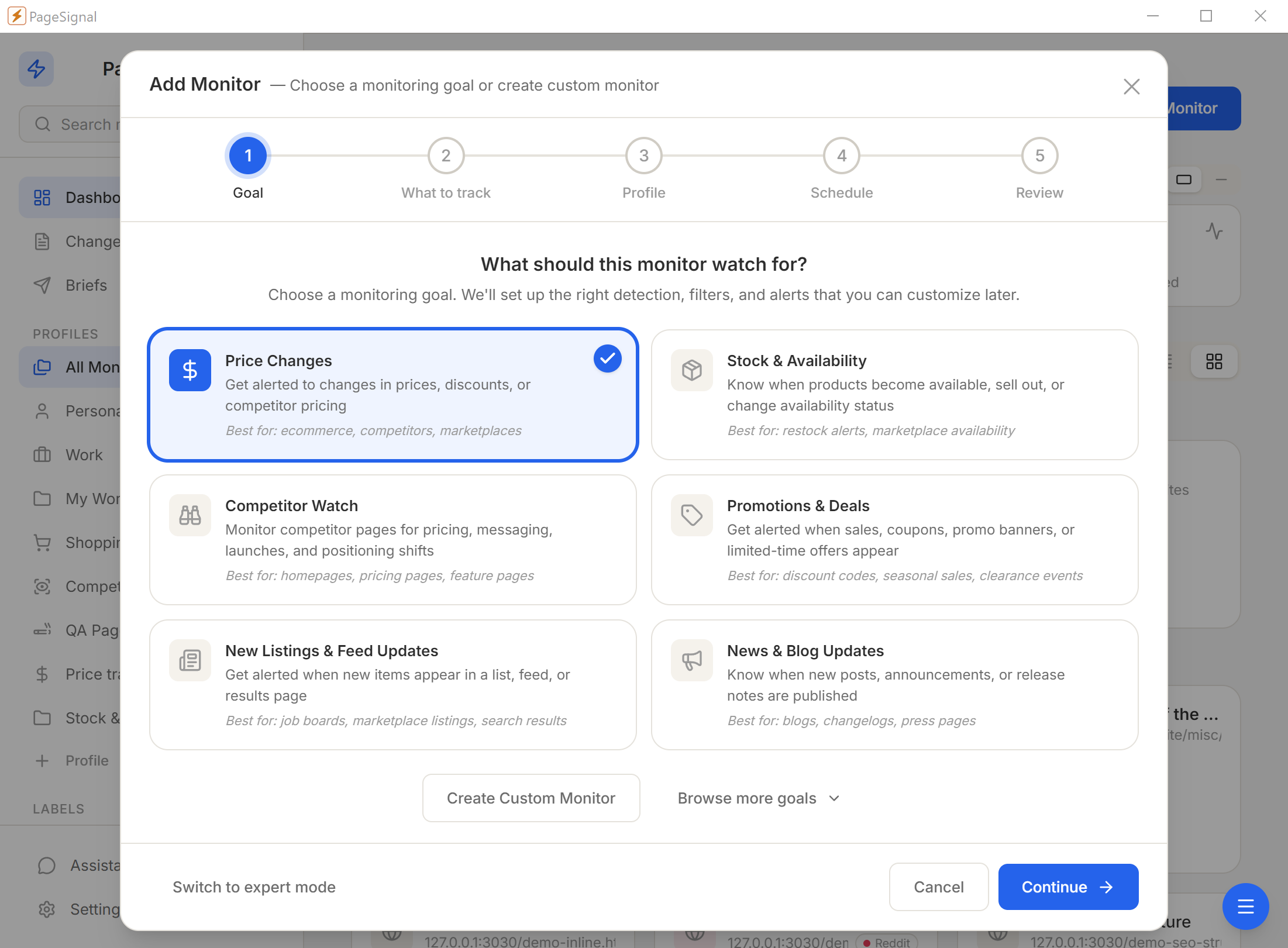
What should this monitor watch for? We'll set up the right detection, filters, and alerts that you can customize later.
CLI, MCP server, YAML config, BYOK AI. Watch dependency docs, API changelogs, and status pages — and pipe results into the AI clients and pipelines you already use.
The documentation you integrated against last quarter is not the documentation that exists today. API providers update endpoints, rename parameters, add required fields, and deprecate features on their own schedules. If you are not actively watching, you find out the hard way — through a broken build or a failed request.
Changelogs are unreliable. Many providers do not maintain them, publish them inconsistently, or bury breaking changes under unrelated updates. RSS feeds go stale. Email announcements go to spam. By the time a change reaches your backlog, it has already cost you time.
"The docs you integrated against last quarter are not the docs that exist today."
PageSignal watches the pages you care about, on your machine, and tells you exactly what changed — through your terminal, your scripts, or your AI assistant.
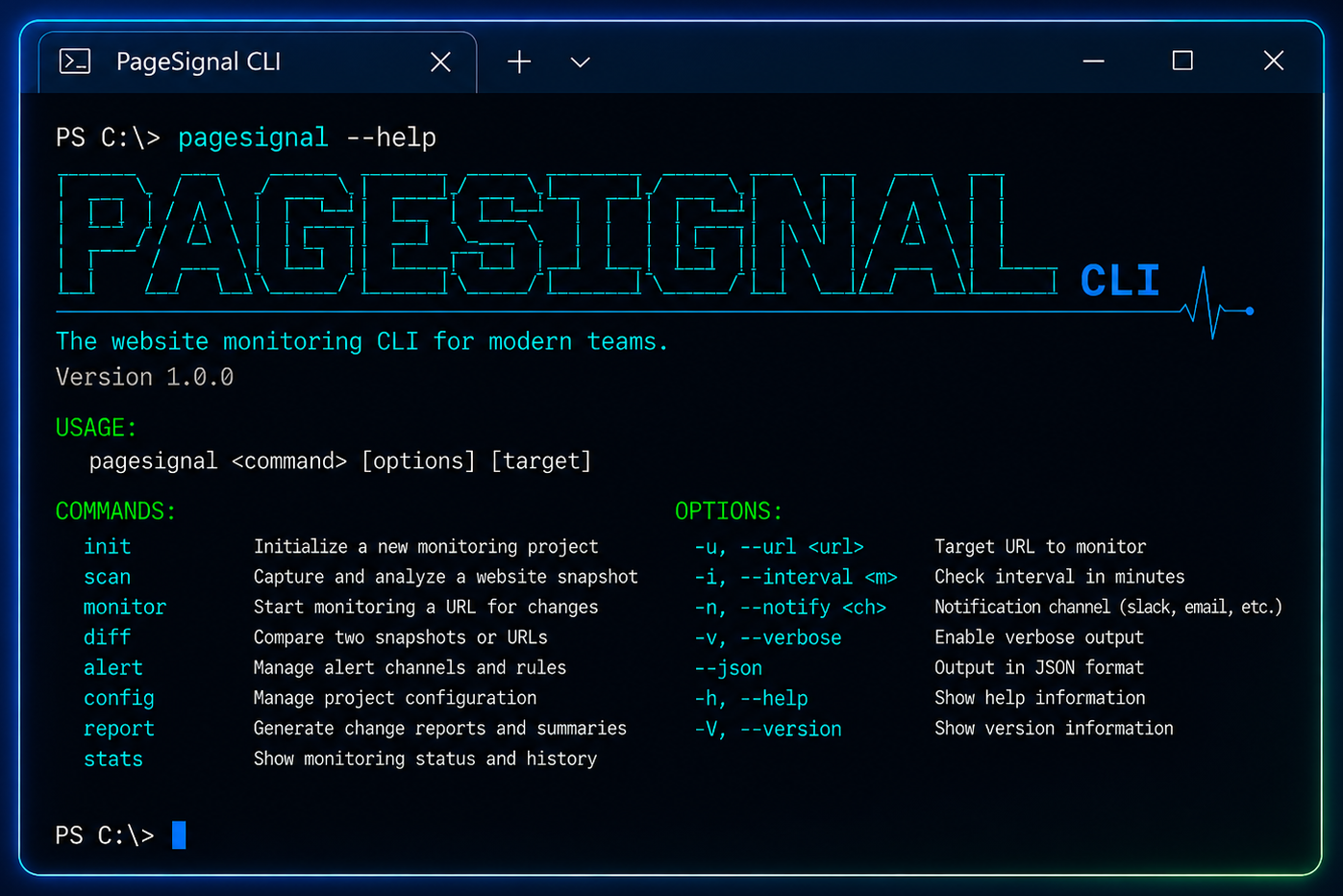
A full terminal interface for monitor, alert, snapshot, incident, and shared tool operations. Top-level shortcuts for the most frequent operations (`list`, `search`, `get`, `run`, `status`). Grouped command sets for structured workflows. Table output by default, JSON with a flag — pipe straight into `jq`, your shell scripts, or your CI pipeline.
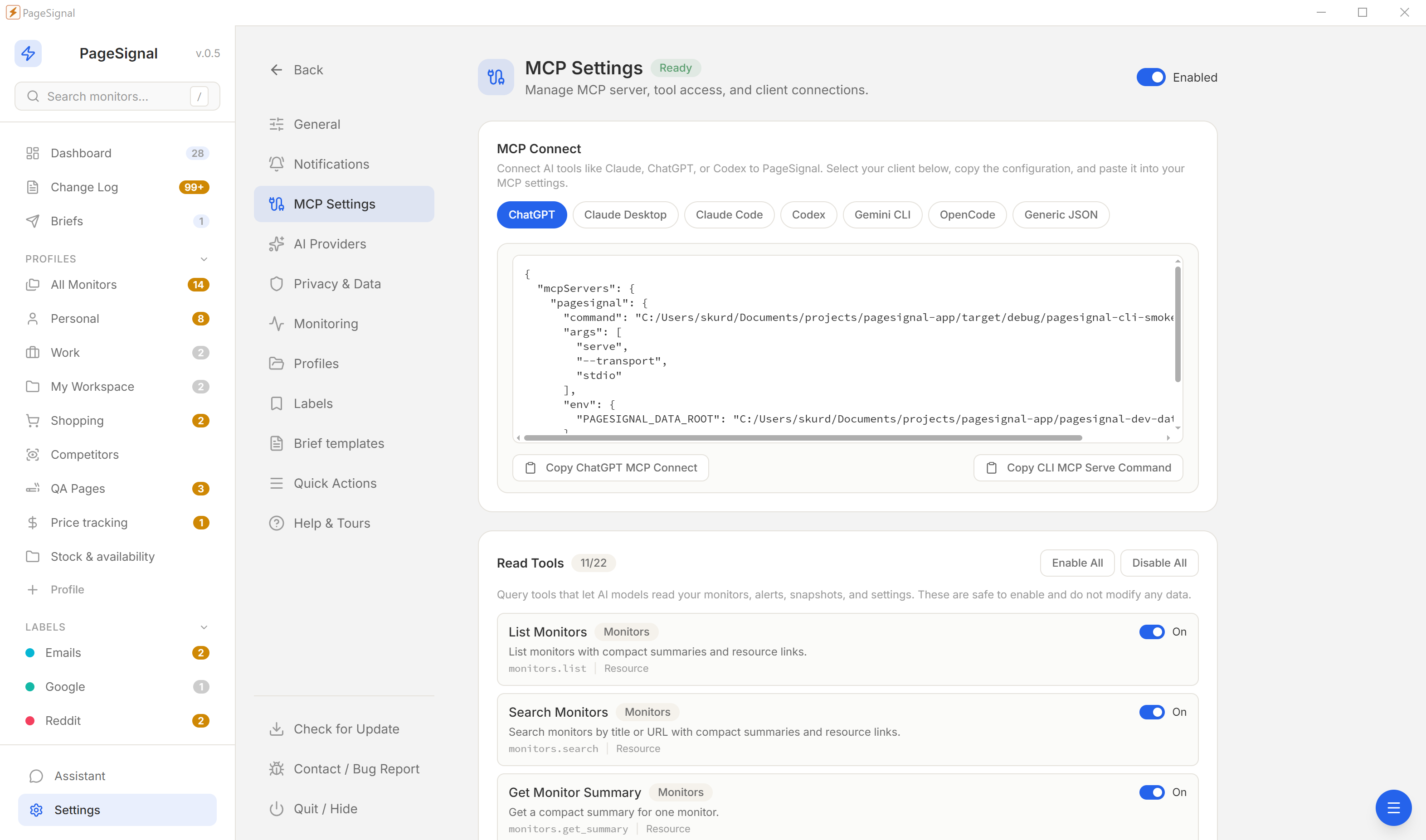
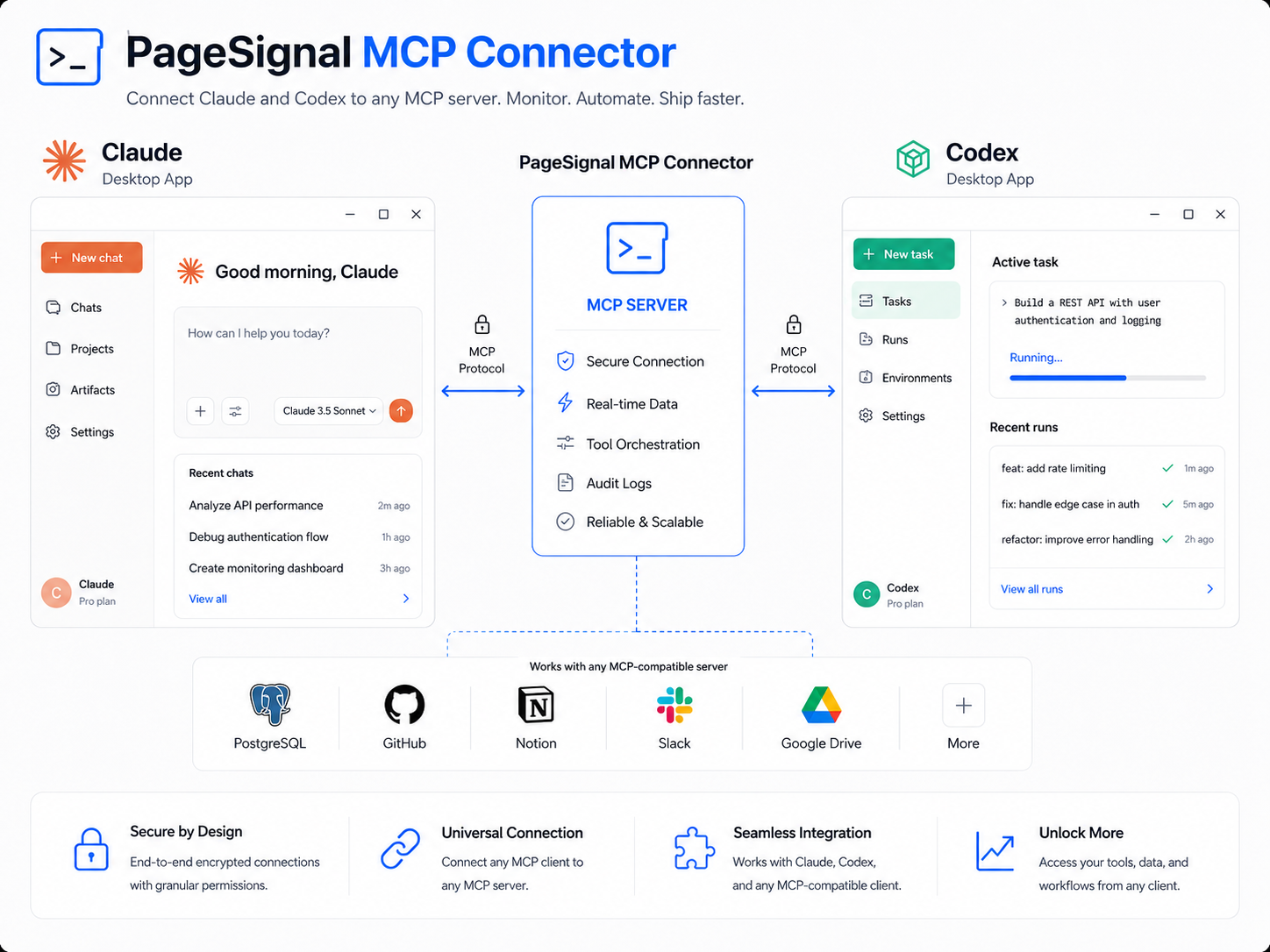
Run `pagesignal serve` and the MCP server exposes 30+ tools and 10 resource templates to any MCP-compatible AI client. Tools cover querying monitor status, reading alert history, triggering runs, comparing snapshots, managing incidents. Preset configurations ship for Claude Desktop, Claude Code, ChatGPT, Codex, Gemini CLI, OpenCode, and a generic JSON format.
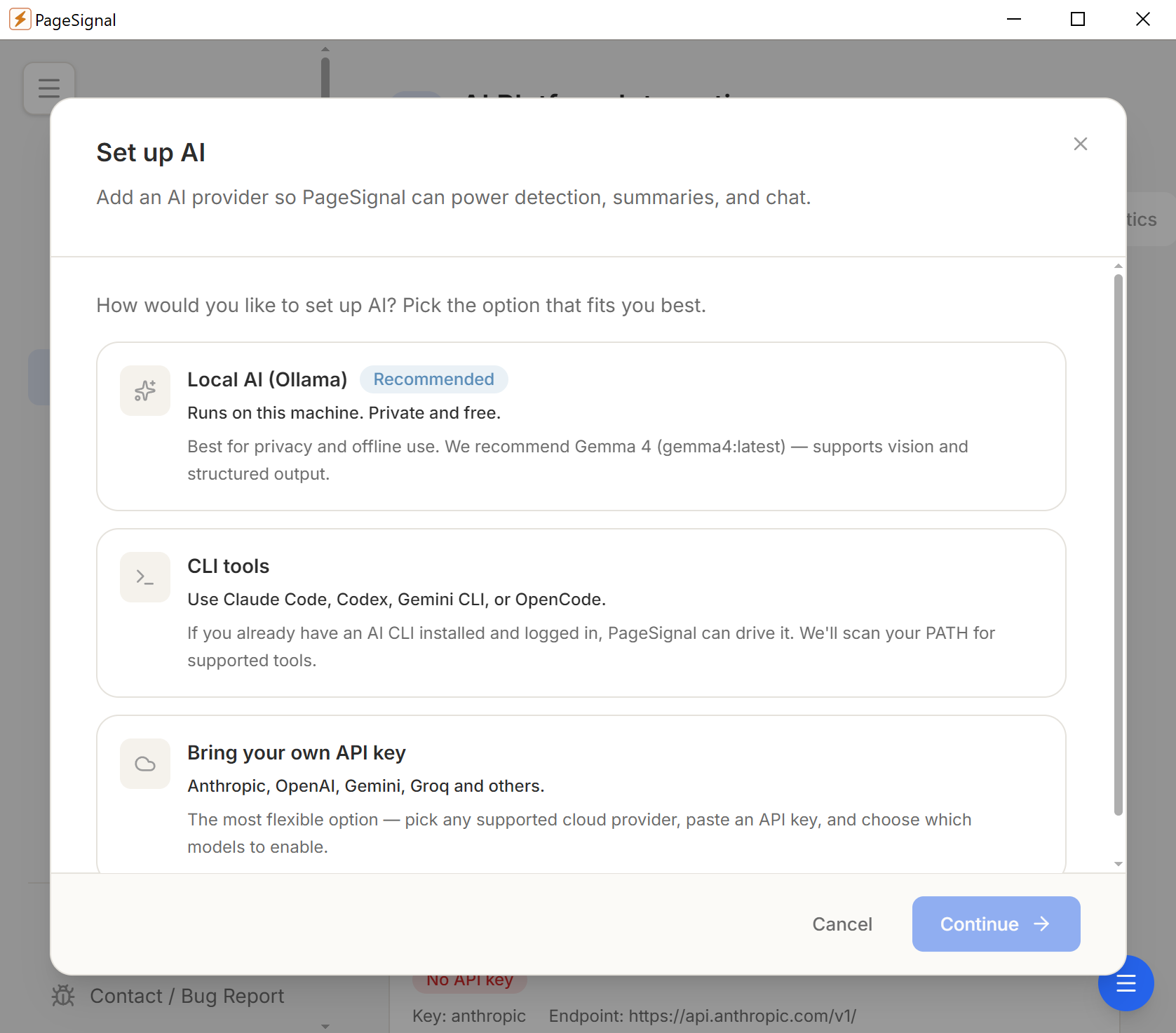
PageSignal integrates with AI providers using your own API keys. Four providers supported: OpenAI, Anthropic, Google Gemini, and Ollama (fully local). Five CLI adapters: Claude Code, Codex, Gemini CLI, OpenCode, and a custom adapter. Route-based model assignment lets you point different tasks at different models — cheap models for summaries, capable models for analysis.
Point a monitor at the API reference for every dependency. When a provider renames a response field or adds a required header, you get alerted before it breaks production.
Vendors update rate limits, storage quotas, and seat counts without announcement. A CSS-selector monitor on the pricing comparison table catches changes the day they happen.
Status pages change during incidents and sometimes between events. A text monitor gives you an independent signal that does not depend on the provider's notification system.
Connect the MCP server to Claude Desktop or Claude Code. Ask natural-language questions about your monitoring data — what changed, which monitors have unresolved alerts, what the last comparison showed.
Store monitor definitions in your infrastructure repo. Provision new machines or onboard team members by importing the YAML. Import preview confirms nothing unexpected changes.
Monitor the changelog of libraries you depend on. Text match rules alert specifically when a new major version is mentioned, so you can plan upgrades early.
Cloud providers announce deprecated services and removed APIs on their docs sites. Monitoring those pages surfaces deprecation notices in your alert feed instead of your incident queue.
When a library updates its docs for a new major version, text diff and layout diff both signal the change. Track the migration guide page to get alerted when migration docs are published.
When an alert fires, ask your AI assistant to summarize the change, compare it to the previous snapshot, and suggest what in your codebase might be affected — MCP gives the AI direct access.
Text, layout, visual diffs, price/number tracking, SEO signals, and AI-evaluated changes. Run one alone or combine them with AND/OR gating on the same monitor.
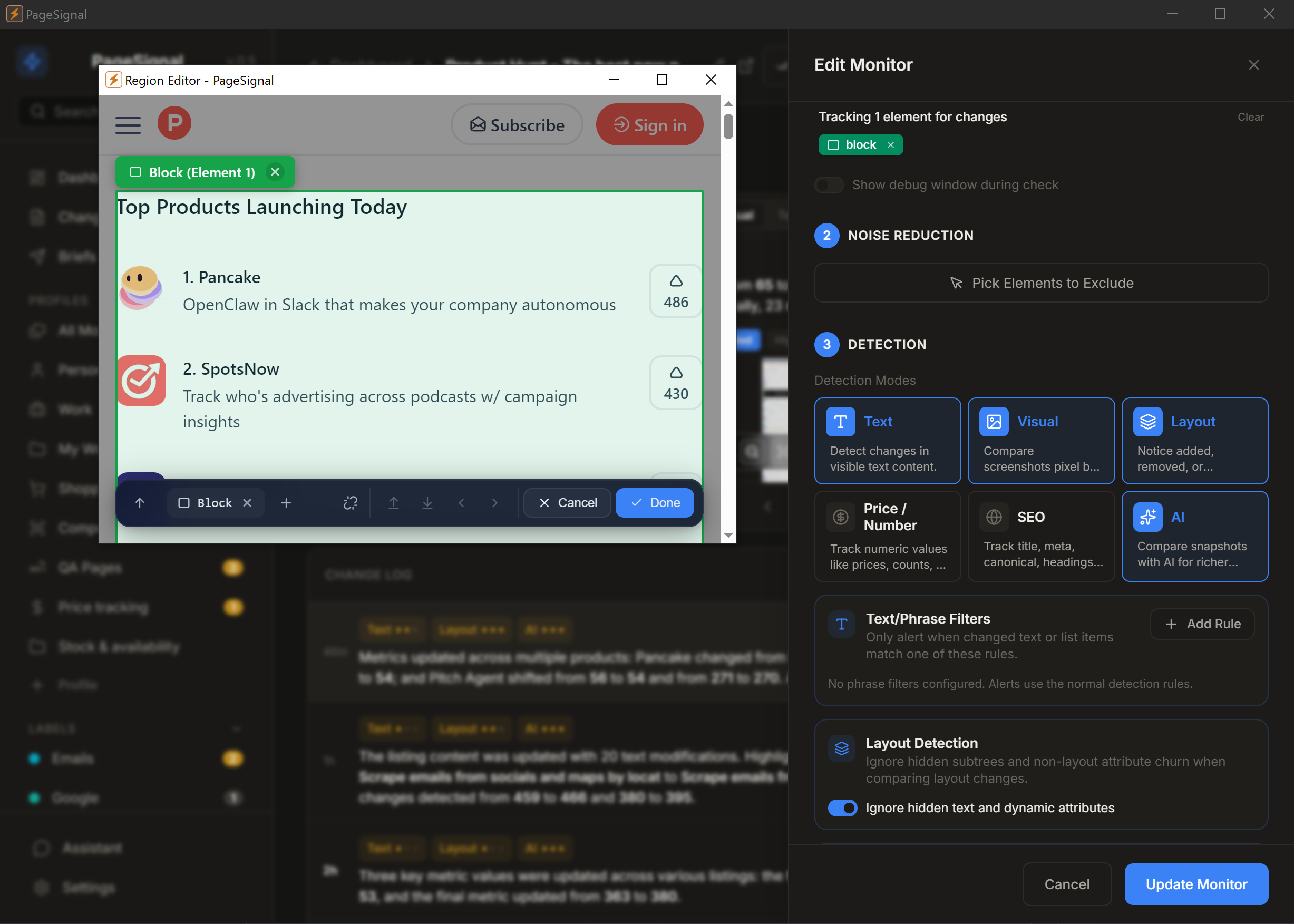
Select any element on a page to monitor just that — a price, button, paragraph, anything.
Get a daily brief of what matters most across the pages you watch.
Strips ads, timestamps, and carousels. Only real changes reach you.
Checks pages in a real browser so JavaScript, sessions, and dynamic content render correctly.
Set rules like "notify me only if price drops below $50" or "alert when 'Sold Out' disappears."
OpenAI, Anthropic, Google Gemini, or local Ollama. Your key, your model, your route — plain-English summaries of every change.
Reuses your active browser session to monitor pages behind authentication.
Human-like rendering with jitter bypasses Cloudflare and bot detection.
Webhook for Telegram / JSON pipelines · Telegram bot with inbound commands · Desktop for immediate alerts · Email for weekly digests.
No accounts, no cloud, no complicated setup.
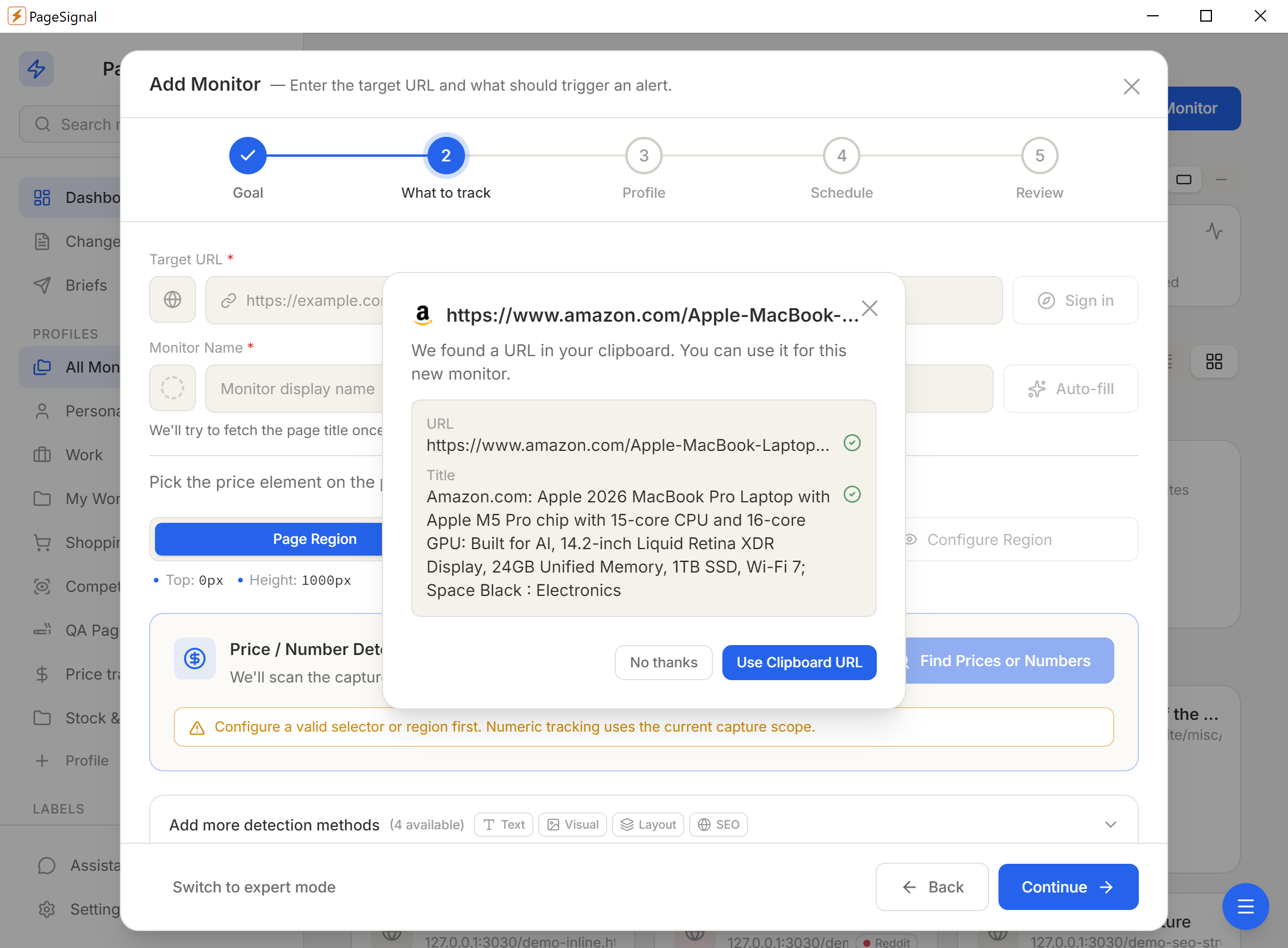
What should this monitor watch for? We'll set up the right detection, filters, and alerts that you can customize later.
Pick one of six detection modes — or combine them with AND/OR gating on a single monitor.
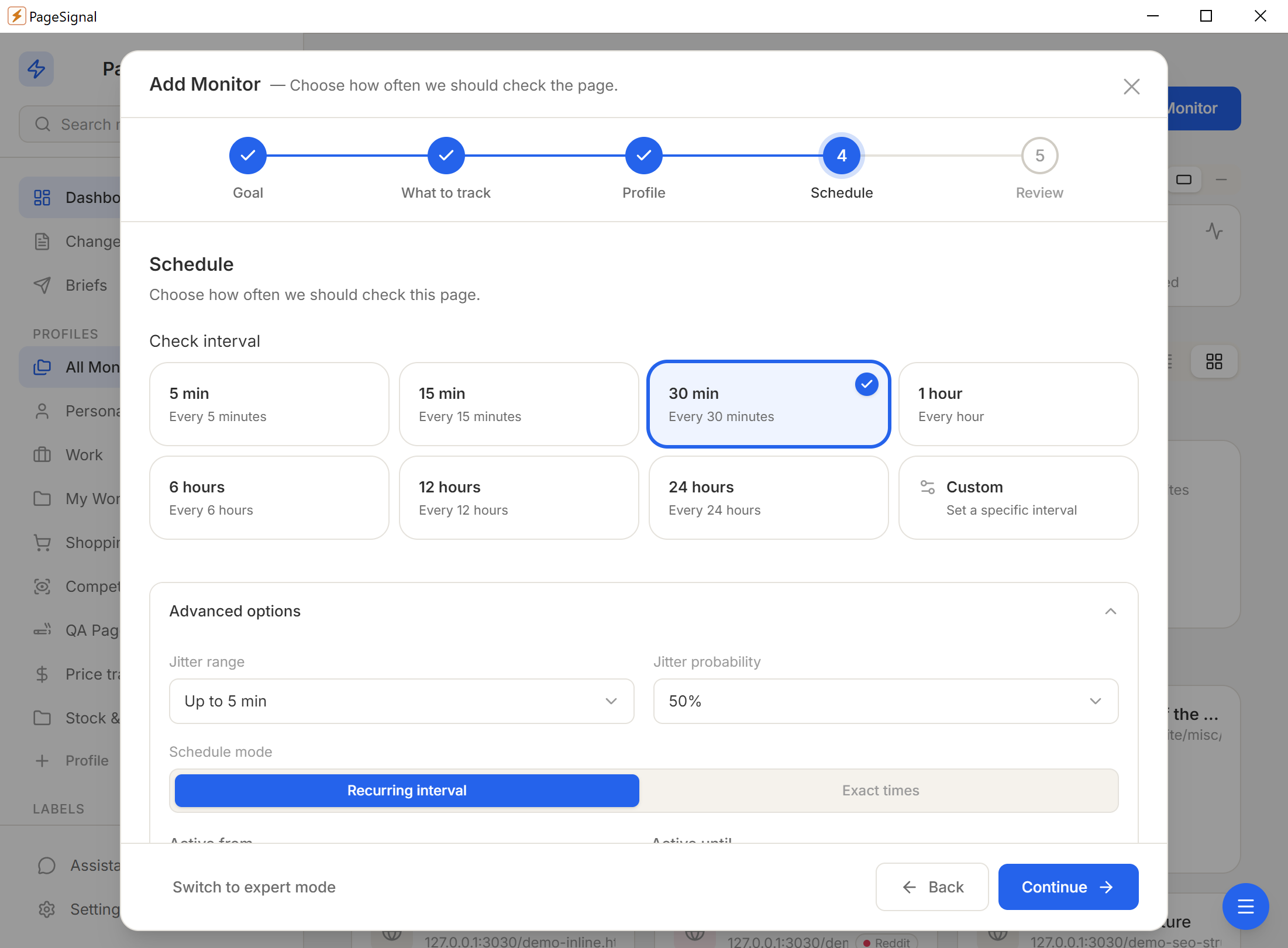
Schedule (60s–24h), text match rules, price thresholds, AI focus instructions, noise filters.
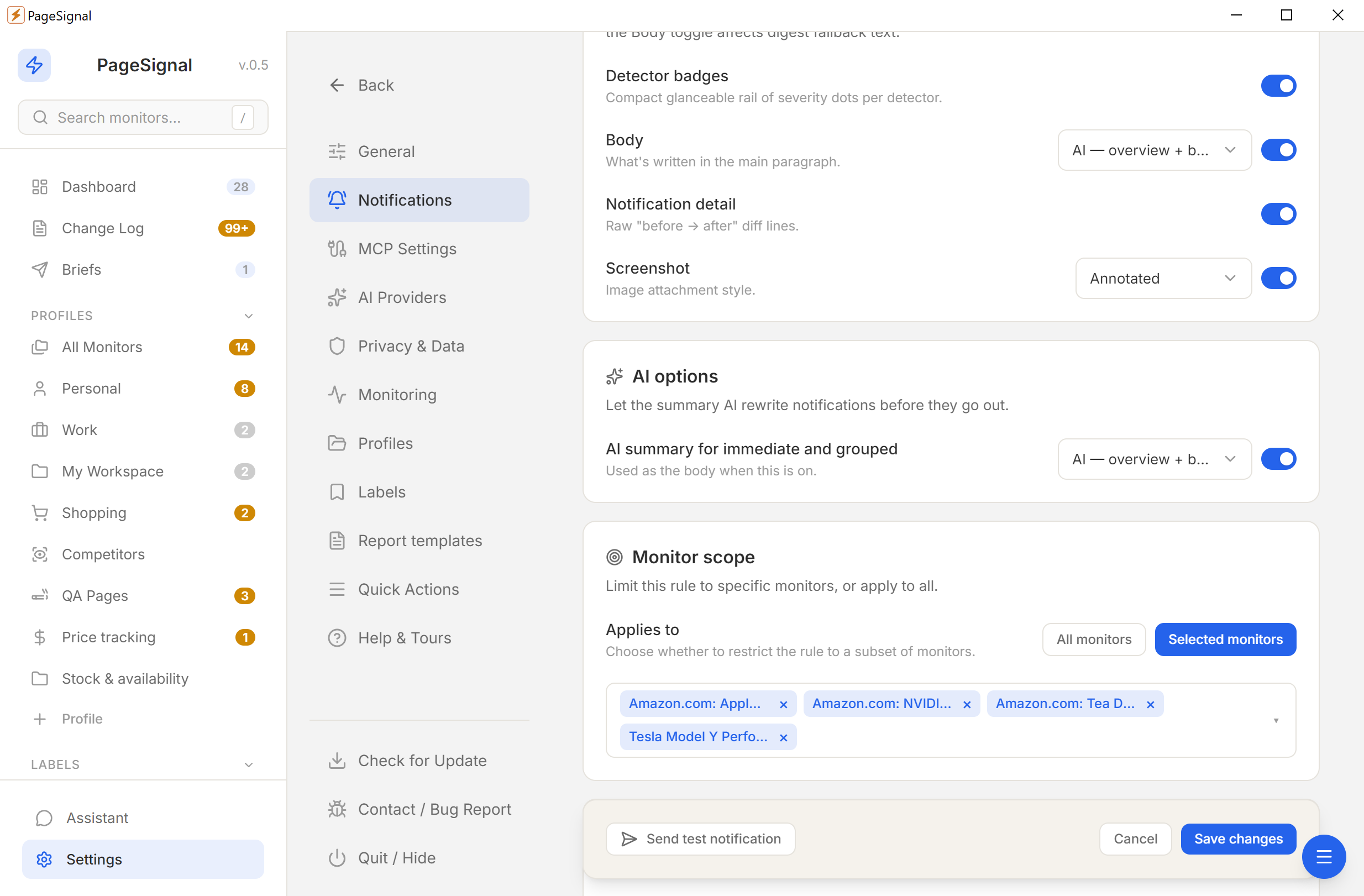
Desktop, email, Telegram, or webhook — immediate, grouped, or digest.
No accounts. No cloud. No tracking. Everything stays on your device.
Nothing touches a remote server.
No sign-ups or personal info.
No analytics, no phone-home.
YML and ZIP backups, anytime.