1
Step 1
Select Your Goal
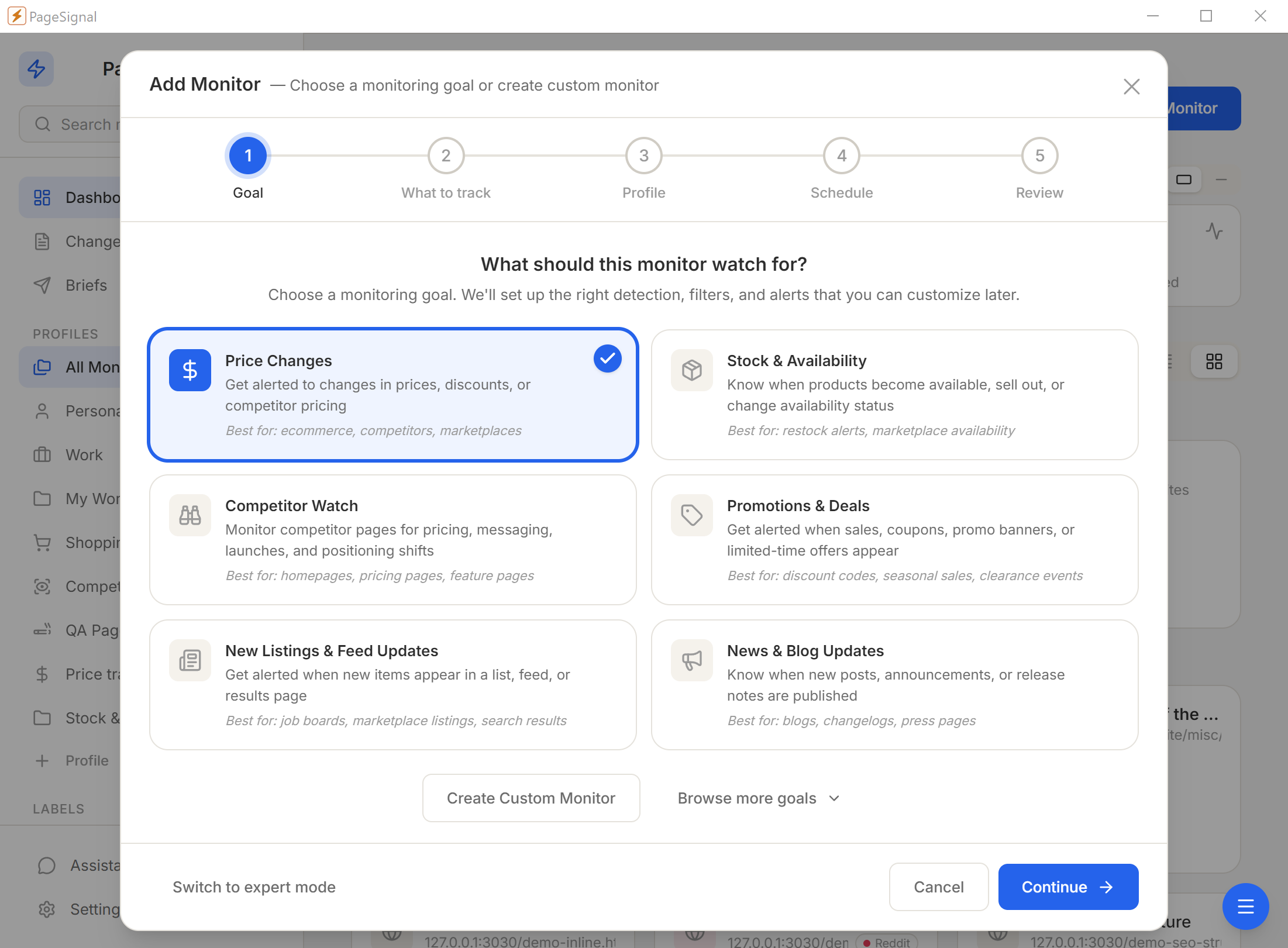
What should this monitor watch for? We'll set up the right detection, filters, and alerts that you can customize later.
Real estate listings, job postings, news, government bulletins, event tickets — watched on your computer. Set up in under two minutes. No coding.
You open the page. Refresh. Nothing changed. You close the tab and move on with your day. Then, sometime later, the page updated — a price dropped, a job was posted, a policy changed — and you were not there to see it. By the time you check again, the moment has passed.
You already know what pages matter to you. The apartment listing you are watching. The agency that publishes notices late on a Friday. The competitor whose pricing you need to track. The news outlet covering a story you care about. You just need something to watch those pages so you do not have to.
"You open the page. Refresh. Nothing changed. Then later, you miss the moment."
PageSignal watches them for you. Quietly. In the background. On your own computer. You stop refreshing. You stop missing things.
No account. No API keys. No configuration files. If you can copy a web address from your browser, you have everything you need. A guided 6-step wizard walks first-time users through their first monitor in plain language. Pick what you want to monitor, paste the URL, set how often to check, choose how you want to be notified. That is the whole process.
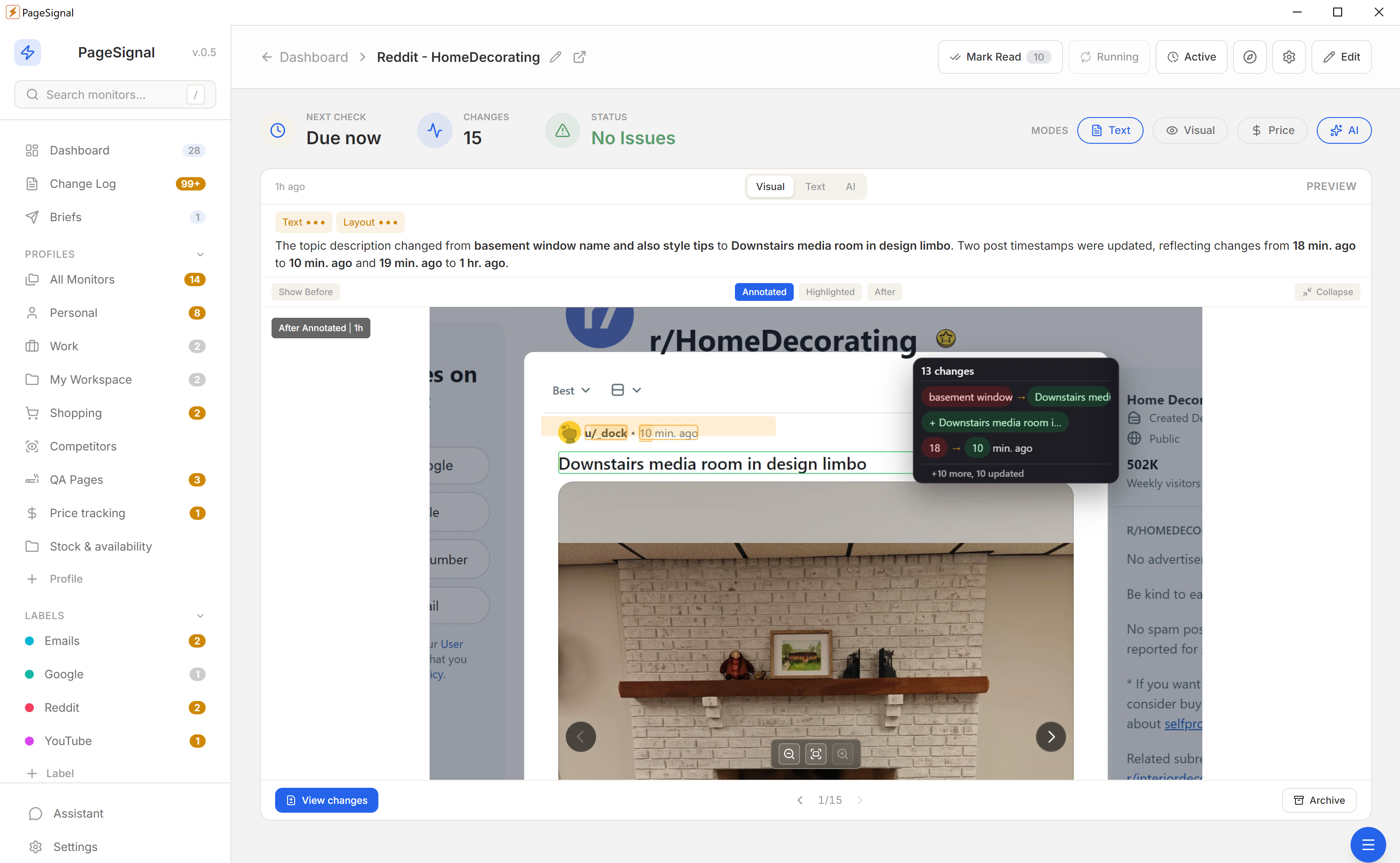
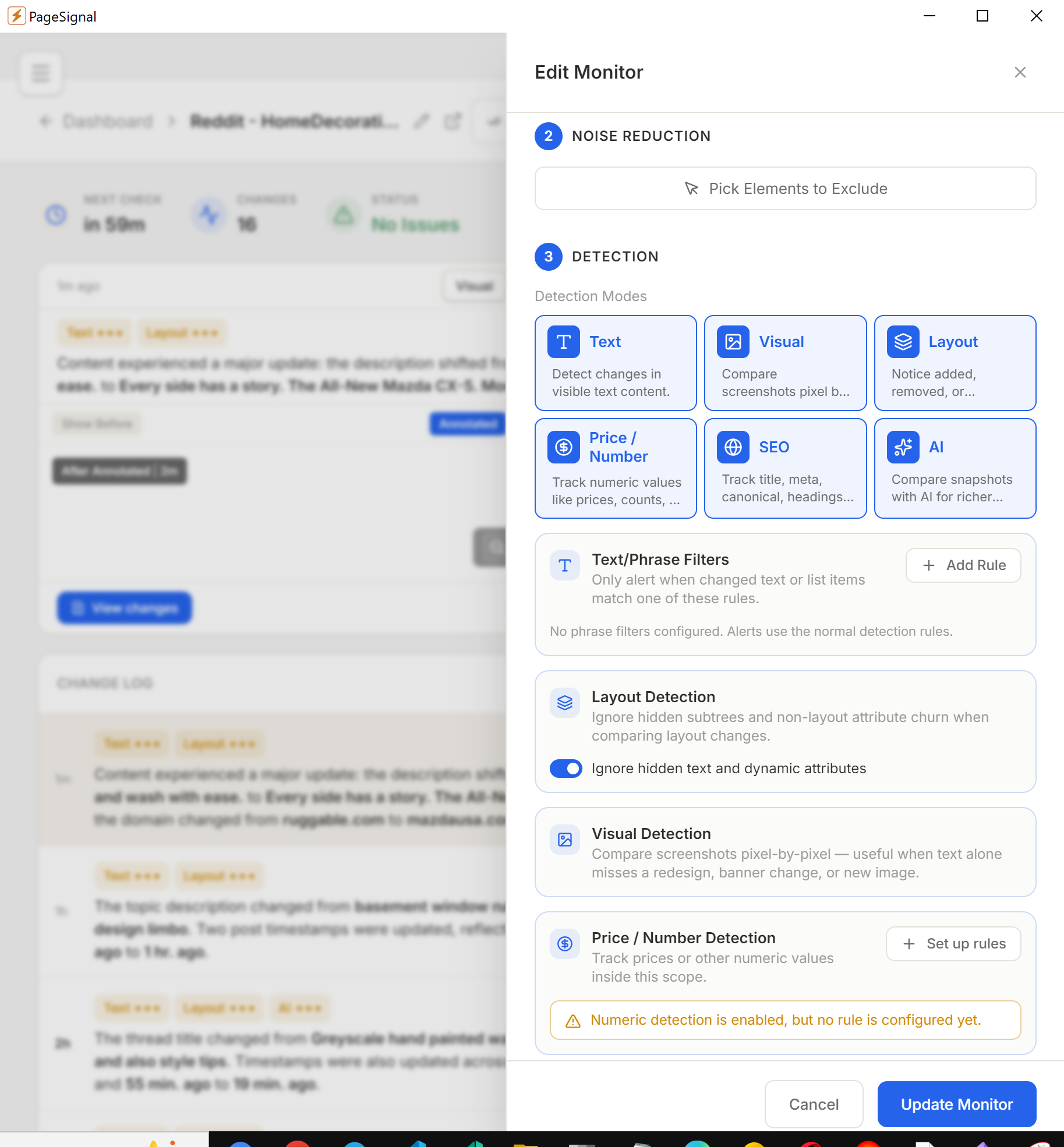
Text catches wording changes. Visual catches anything that looks different. Layout catches structural changes. Price/Number tracks numeric values with rules like "alert when price drops below X." SEO catches metadata changes for marketing or competitive tracking. AI writes a plain-language summary of what changed and why it might matter — entirely optional.
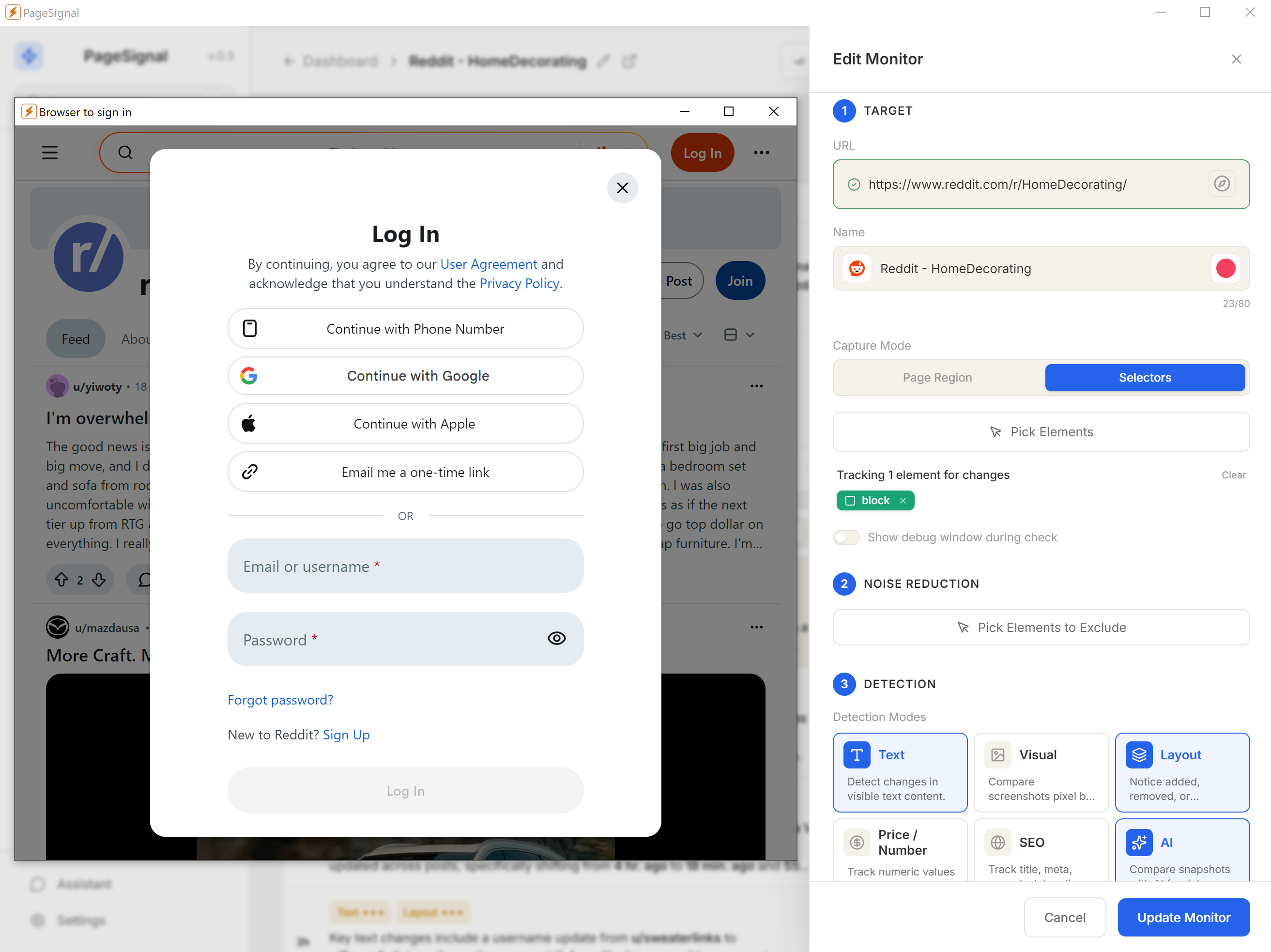
The most valuable pages to track are often behind a sign-in. A vendor's pricing page for existing customers. A subscription news site. A members-only portal. PageSignal includes a sign-in window where you log in normally — username, password, two-factor code if needed — and the session is saved for future checks. Your credentials are not stored as passwords; only the browser session.
Track policy changes, new regulations, meeting agendas, public health announcements, and municipal notices that agencies post without sending notifications.
Watch the careers pages of companies you want to work for. Get an alert the moment a new role is posted that matches what you are looking for, before it fills up.
Monitor specific topics, follow particular outlets, and catch breaking news as it happens. Track a developing story across multiple sources without refreshing them.
Watch listings for price reductions, status changes from active to pending, and new properties that match your criteria — without logging into a portal every morning.
Follow paper updates, dataset releases, grant announcements, and funding deadlines on institutional sites that do not offer email alerts.
Know immediately when availability changes for sold-out events. Track pricing updates and catch presale windows as soon as they open.
Get notified when terms of service, privacy policies, or end-user agreements are updated. Know exactly what changed and when.
Track specific threads, monitor new replies, and catch content updates on forums, subreddits, or community boards.
Watch for new reviews on products you sell or compete with. Track rating changes and stay current on customer sentiment as it evolves.
Follow bio changes, track milestone announcements, and catch post updates on public profiles where information changes frequently.
Text, layout, visual diffs, price/number tracking, SEO signals, and AI-evaluated changes. Run one alone or combine them with AND/OR gating on the same monitor.
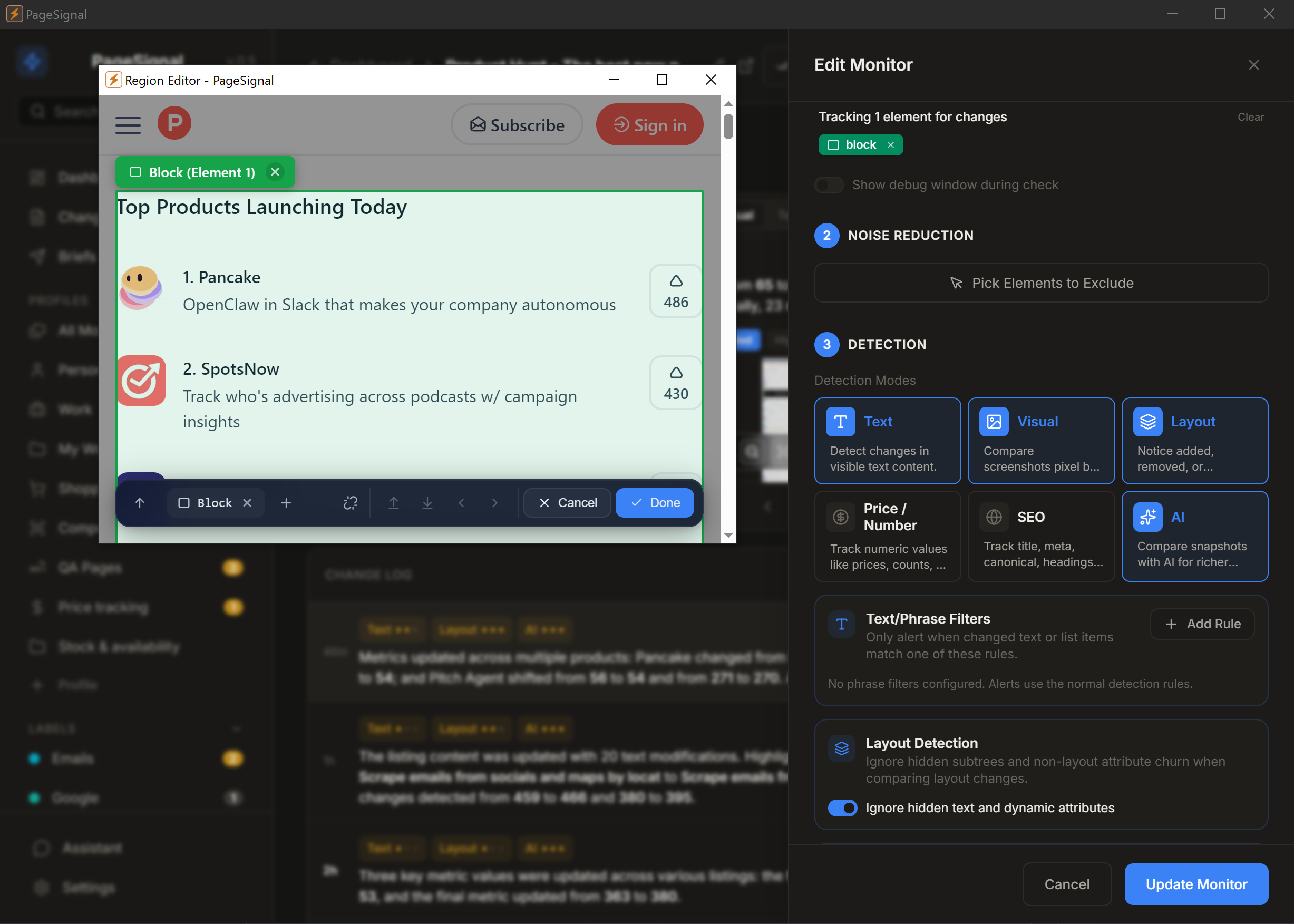
Select any element on a page to monitor just that — a price, button, paragraph, anything.
Get a daily brief of what matters most across the pages you watch.
Strips ads, timestamps, and carousels. Only real changes reach you.
Checks pages in a real browser so JavaScript, sessions, and dynamic content render correctly.
Set rules like "notify me only if price drops below $50" or "alert when 'Sold Out' disappears."
OpenAI, Anthropic, Google Gemini, or local Ollama. Your key, your model, your route — plain-English summaries of every change.
Reuses your active browser session to monitor pages behind authentication.
Human-like rendering with jitter bypasses Cloudflare and bot detection.
Desktop popups while you work · Telegram for mobile · Email for slower-paced watching · Webhook to connect to Zapier or Telegram.
No accounts, no cloud, no complicated setup.
What should this monitor watch for? We'll set up the right detection, filters, and alerts that you can customize later.
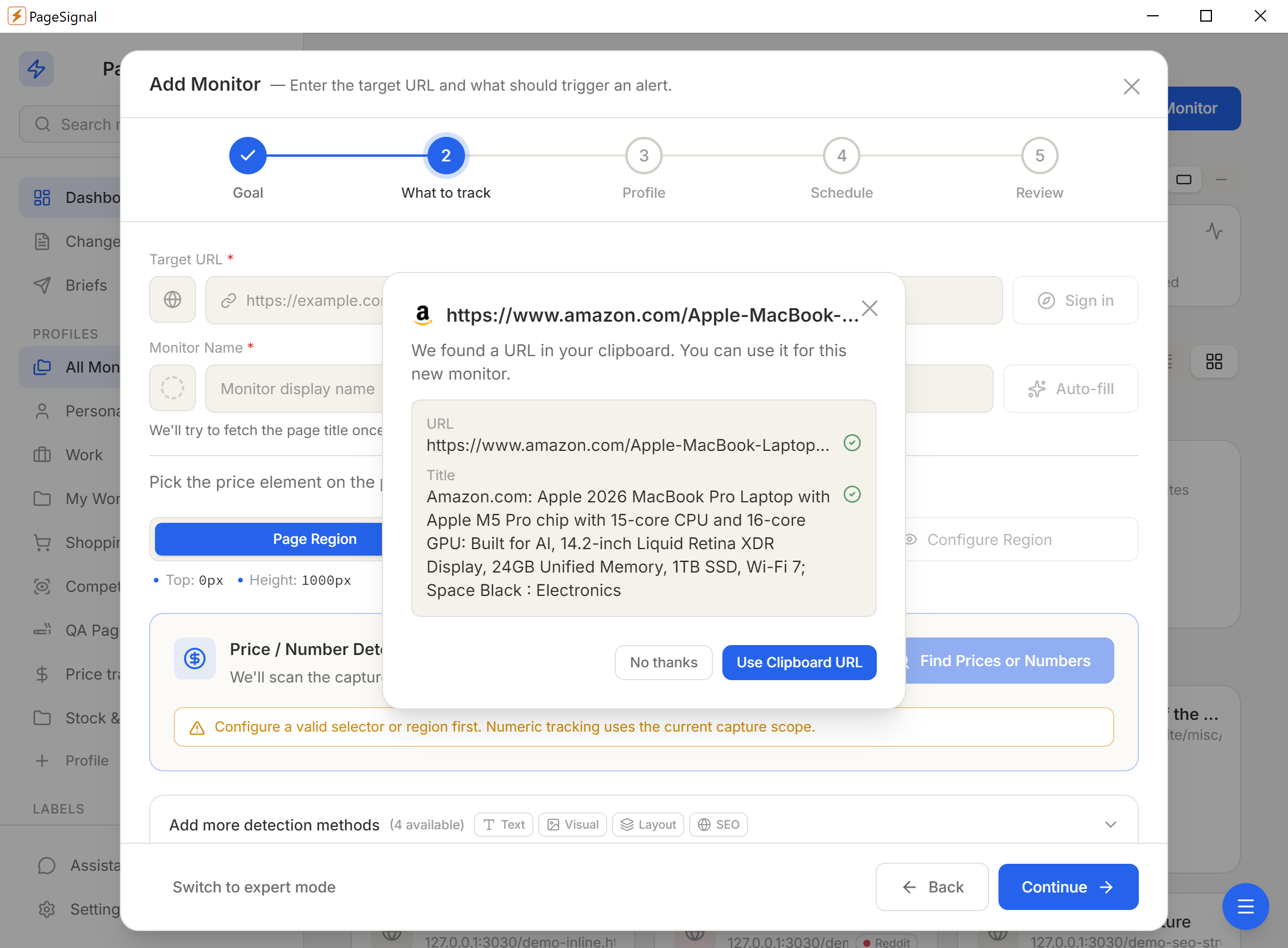
Pick one of six detection modes — or combine them with AND/OR gating on a single monitor.
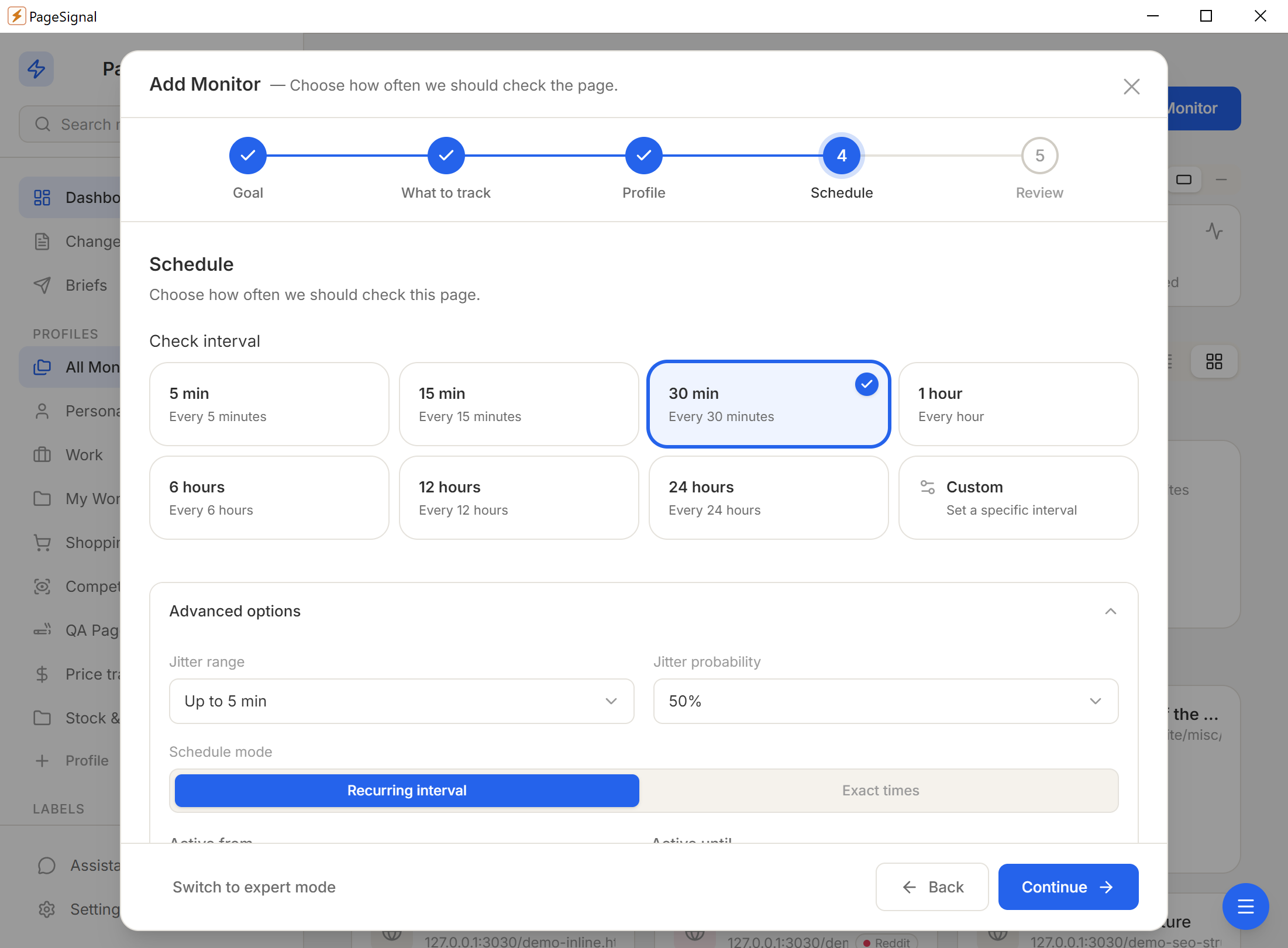
Schedule (60s–24h), text match rules, price thresholds, AI focus instructions, noise filters.
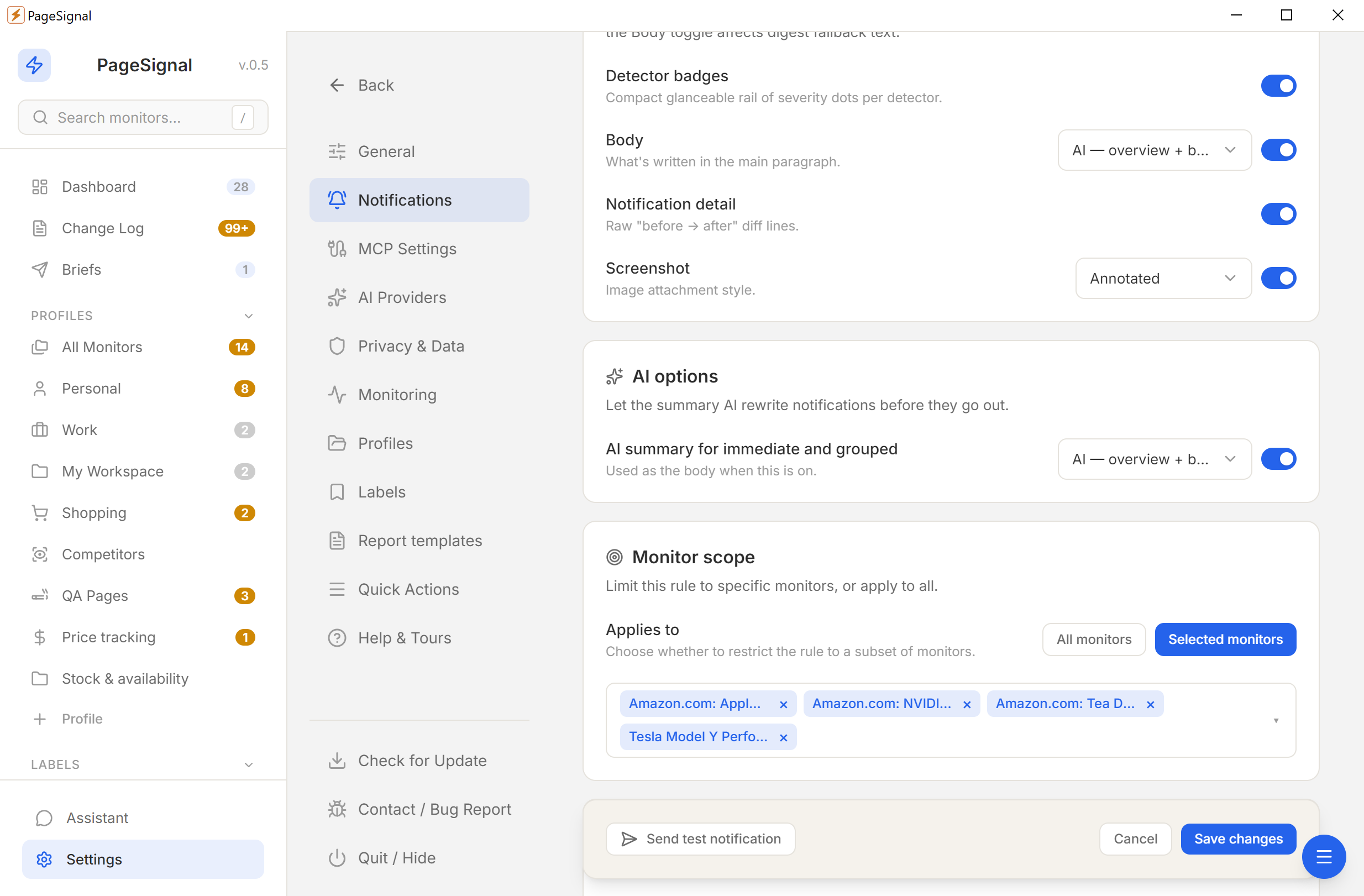
Desktop, email, Telegram, or webhook — immediate, grouped, or digest.
No accounts. No cloud. No tracking. Everything stays on your device.
Nothing touches a remote server.
No sign-ups or personal info.
No analytics, no phone-home.
YML and ZIP backups, anytime.