1
Step 1
Select Your Goal
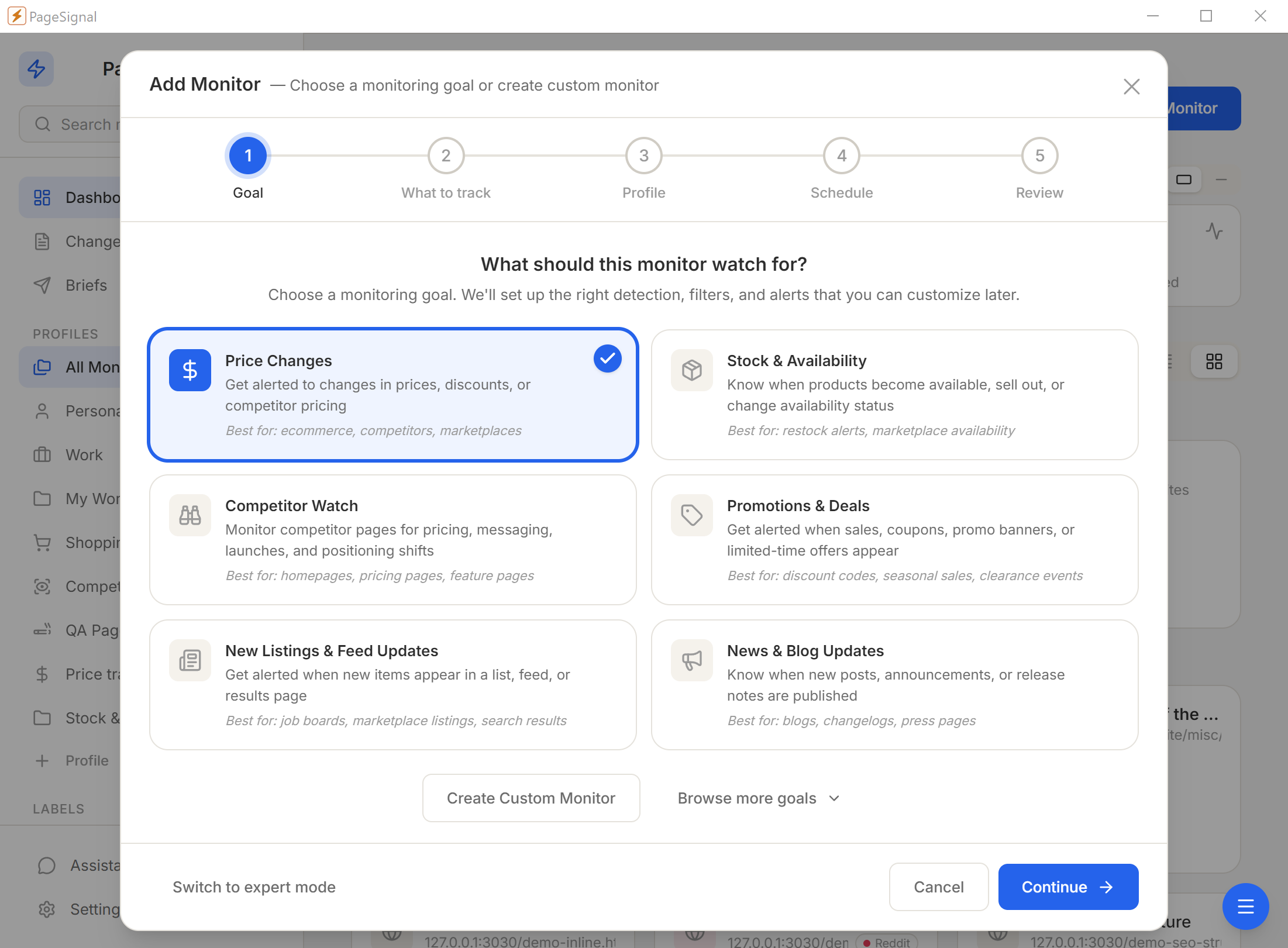
What should this monitor watch for? We'll set up the right detection, filters, and alerts that you can customize later.
Track prices, stock, deals, and promotions on any marketplace, supplier portal, or competitor product page. Real browser. Real prices.
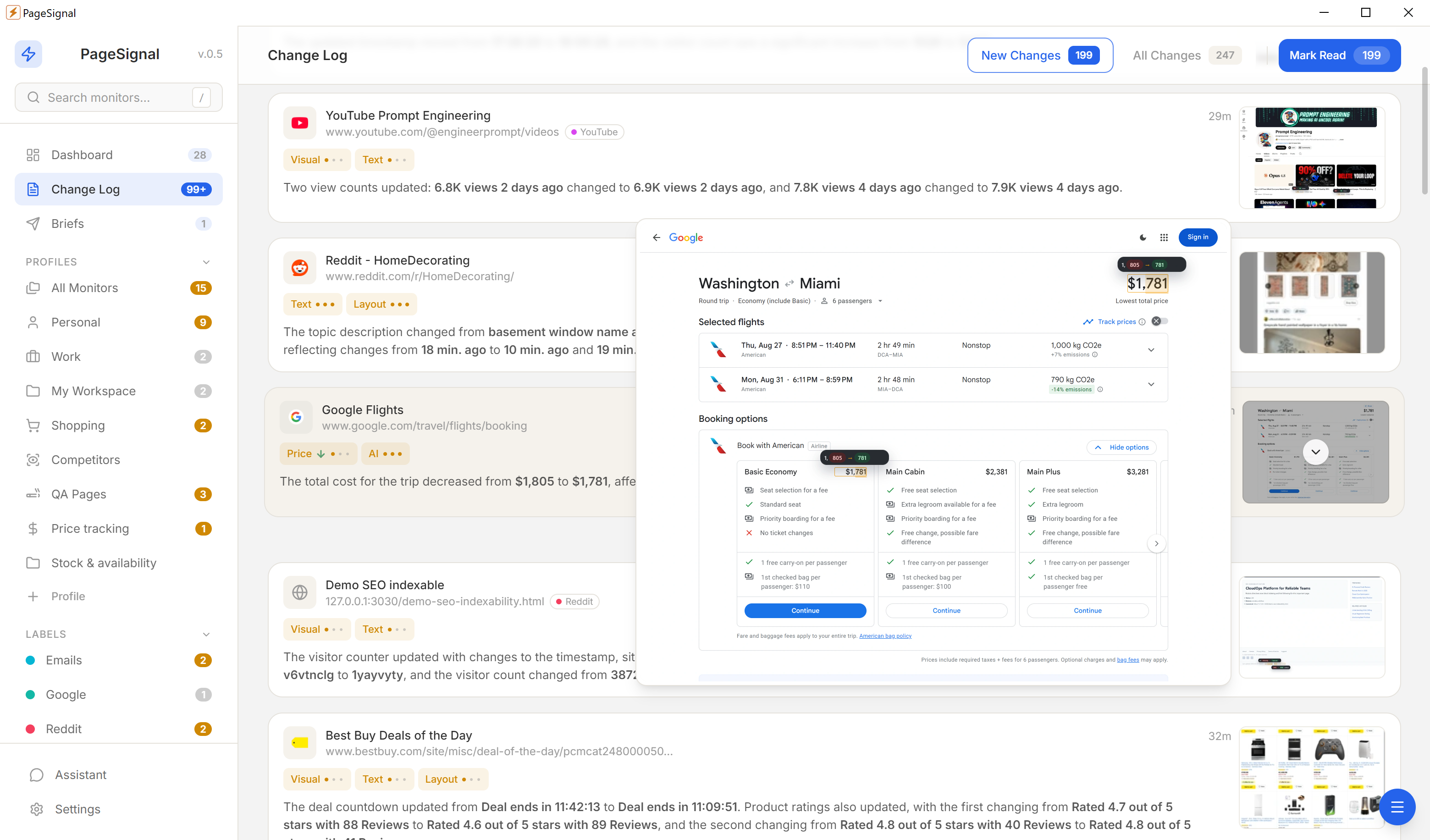
Checking prices by hand does not scale. If you sell on three marketplaces, source from five suppliers, or compete against dozens of rivals, visiting every product page by hand every morning means you will always be reacting — never ahead.
Competitors change prices overnight, sometimes multiple times a day, timed precisely for when they know you are not watching. Supplier stock pages update without notice. Promotional windows open and close in hours. By the time you notice, you have already lost sales you did not know were at risk.
"Competitors change prices overnight. You find out the next morning."
PageSignal watches the pages for you, on your machine, around the clock — and tells you the moment a price moves, a product restocks, or a promotion goes live.
Paste a product URL and PageSignal scans the rendered page, surfacing candidate values — product price, discount percent, review counts, inventory quantities — ranked by likelihood. Click to confirm and monitoring begins. Detection is position-aware: it tracks the actual price element, not just a number that happens to appear elsewhere on the page.
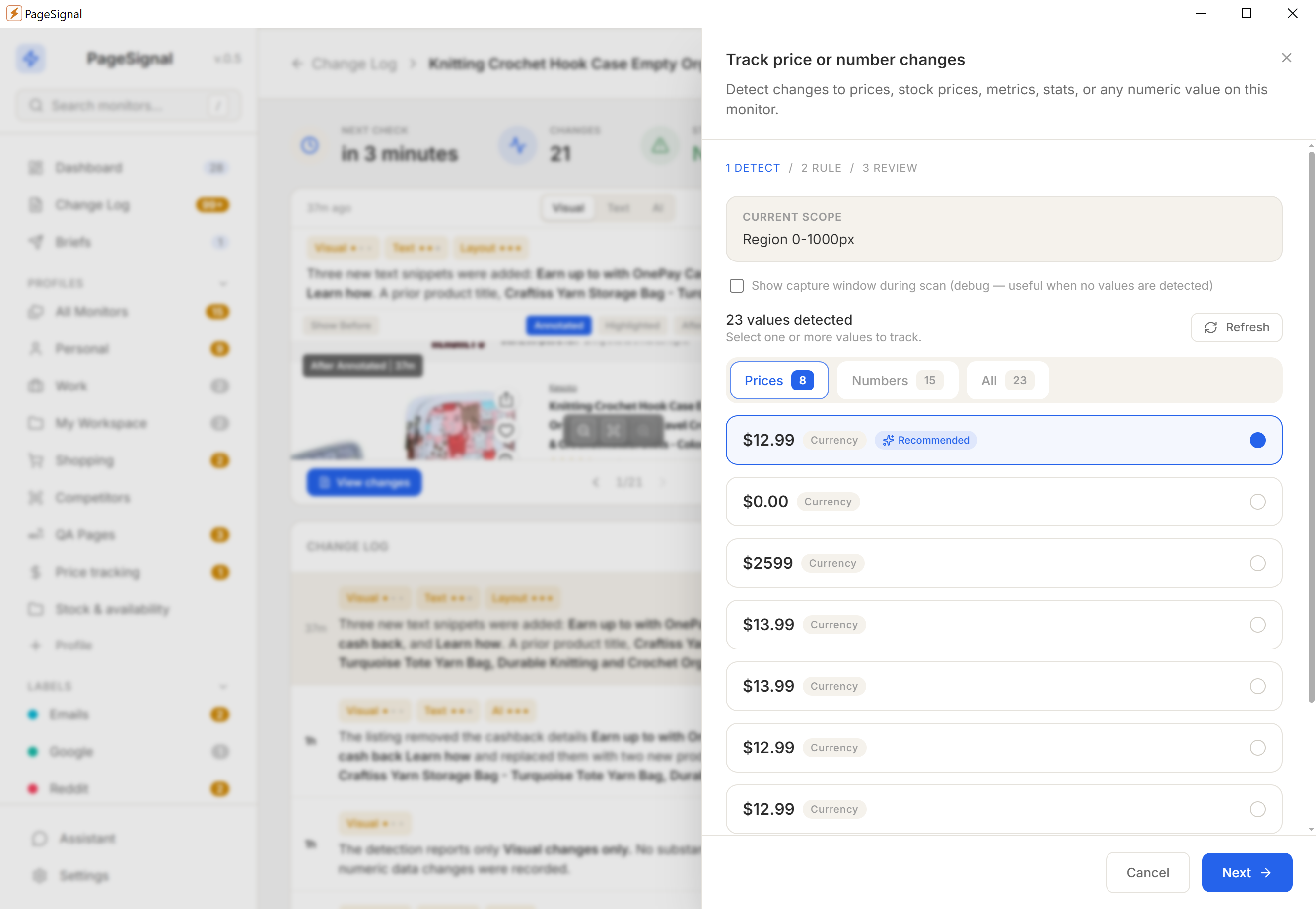
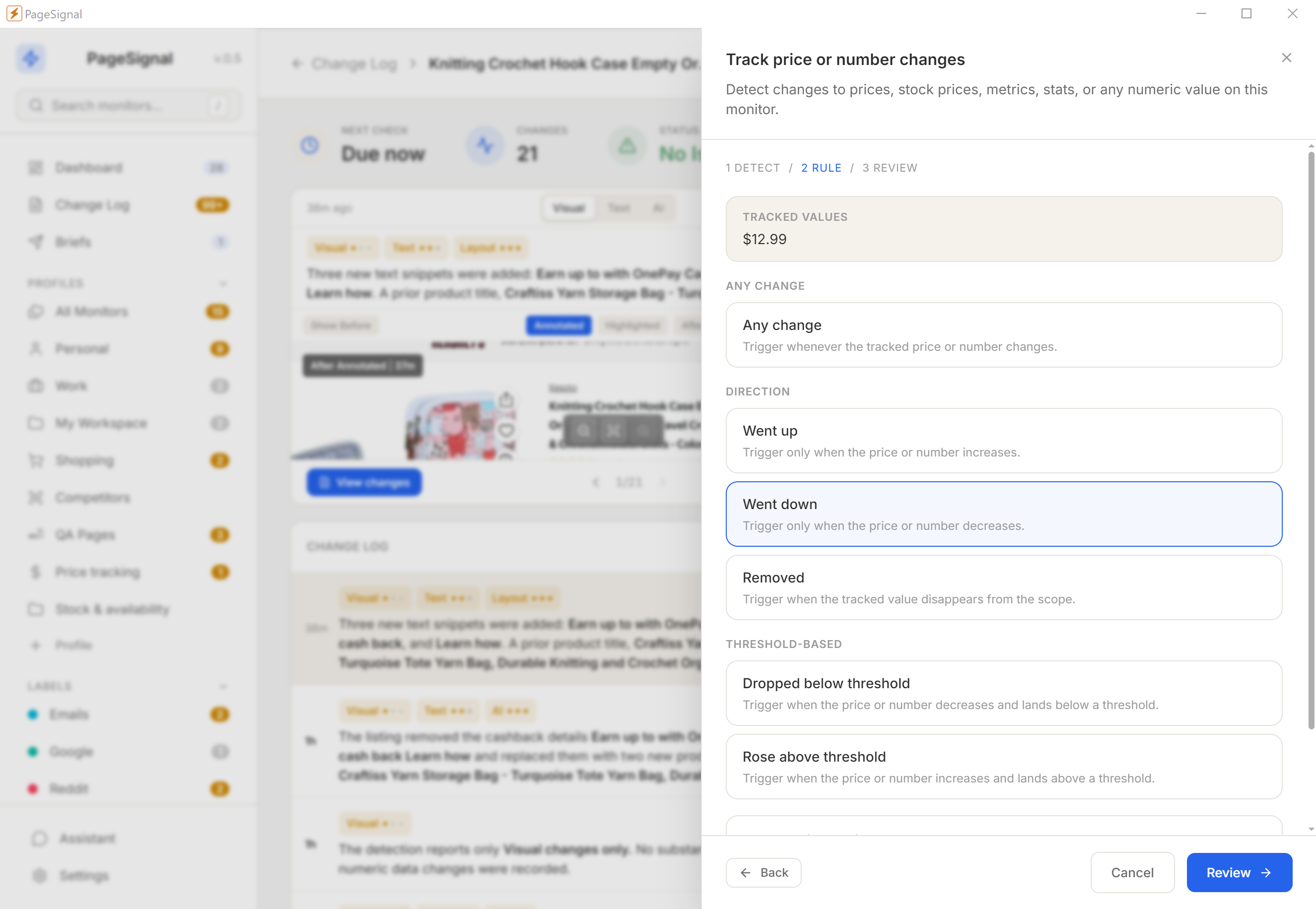
Price changed alerts on any movement. Price up and price down fire only on directional motion. Price below threshold sends a notification when a product crosses your buy point. Price above threshold catches when a competitor undercuts your floor. Price removed catches the moment a product goes unlisted. Delta-with-absolute-gate combines two conditions for precise buy-threshold alerts.
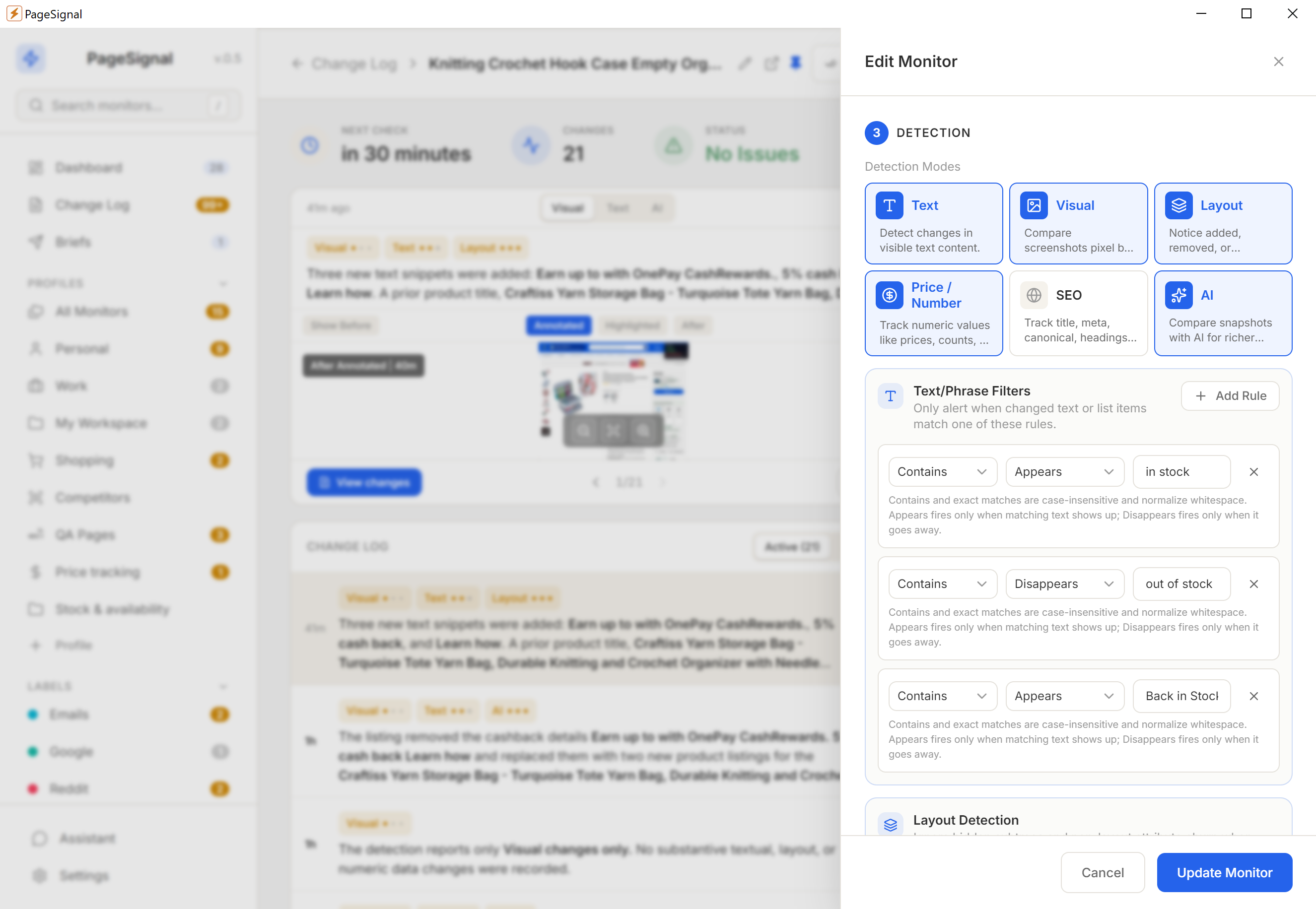
Up to 24 text match rules per monitor catch "Back in Stock," "Out of Stock," "Only 2 left," "Backordered," and any other availability phrase your suppliers use. Each rule fires when its phrase appears, disappears, or both. Regex mode handles wholesale portals with inconsistent or region-specific language. Layout detection catches when an entire SKU listing is removed from a category page.
PageSignal uses a real browser engine — Chromium on Windows, WebKit on macOS — not a headless simulation. JavaScript executes completely, cookies persist across runs, and the TLS / JA3 fingerprint matches a regular browser. Cloudflare challenges are detected and surfaced rather than silently failing. Login-protected supplier portals stay accessible after a one-time sign-in.
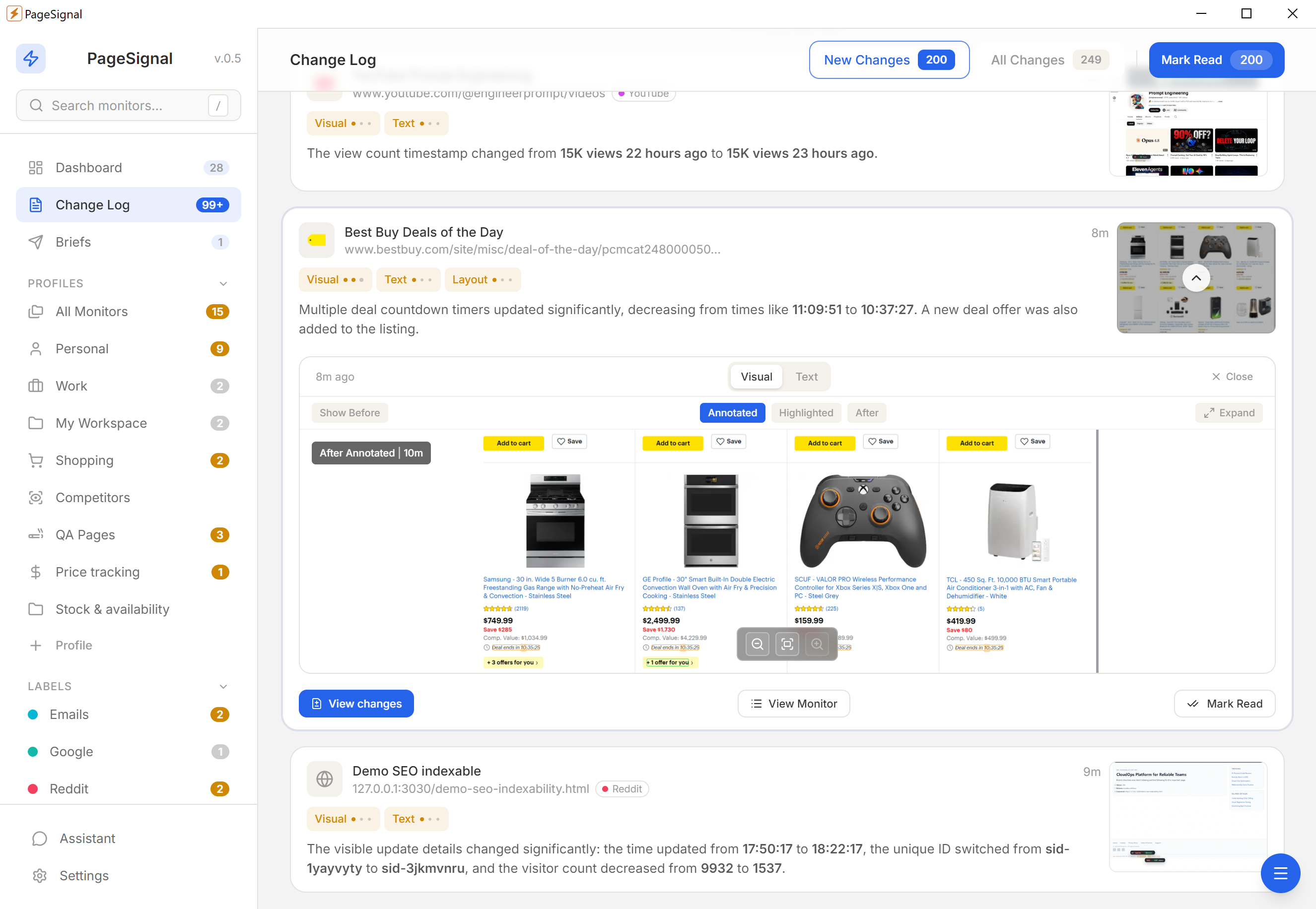
Know the moment a competitor drops below your price. Directional rules filter out routine increases so you only see drops that need a response.
Monitor your listings across marketplaces for unauthorized price changes. Below-threshold rules fire the moment a reseller violates MAP.
Set a price below threshold on any product you intend to purchase when the price is right. Get notified the moment it crosses your target.
Watch distributor pages for specific SKUs. Text rules fire when "back in stock" appears or "out of stock" disappears — act before other buyers see the restock.
PageSignal works on any public-facing product page including major marketplaces. ASIN pages, Shopify storefronts, eBay listings — monitored the same way.
Each size, color, or configuration can have its own monitor. Track exactly the SKU you care about without noise from variants you do not sell.
Log in once through the sign-in window. PageSignal retains the session and monitors pages behind authentication — wholesale dashboards, member pricing, distributor portals.
Watch campaign pages for deal changes, new coupon codes, or banner updates. Visual diff and text diff catch promotional content even when prices stay the same.
Every monitor stores a snapshot history. Review past prices to understand patterns, seasonality, or how quickly a competitor responded to your move.
For teams purchasing in volume: monitor approved suppliers and get notified when prices move in or out of budget. Date windows scope to active sourcing periods.
Text, layout, visual diffs, price/number tracking, SEO signals, and AI-evaluated changes. Run one alone or combine them with AND/OR gating on the same monitor.
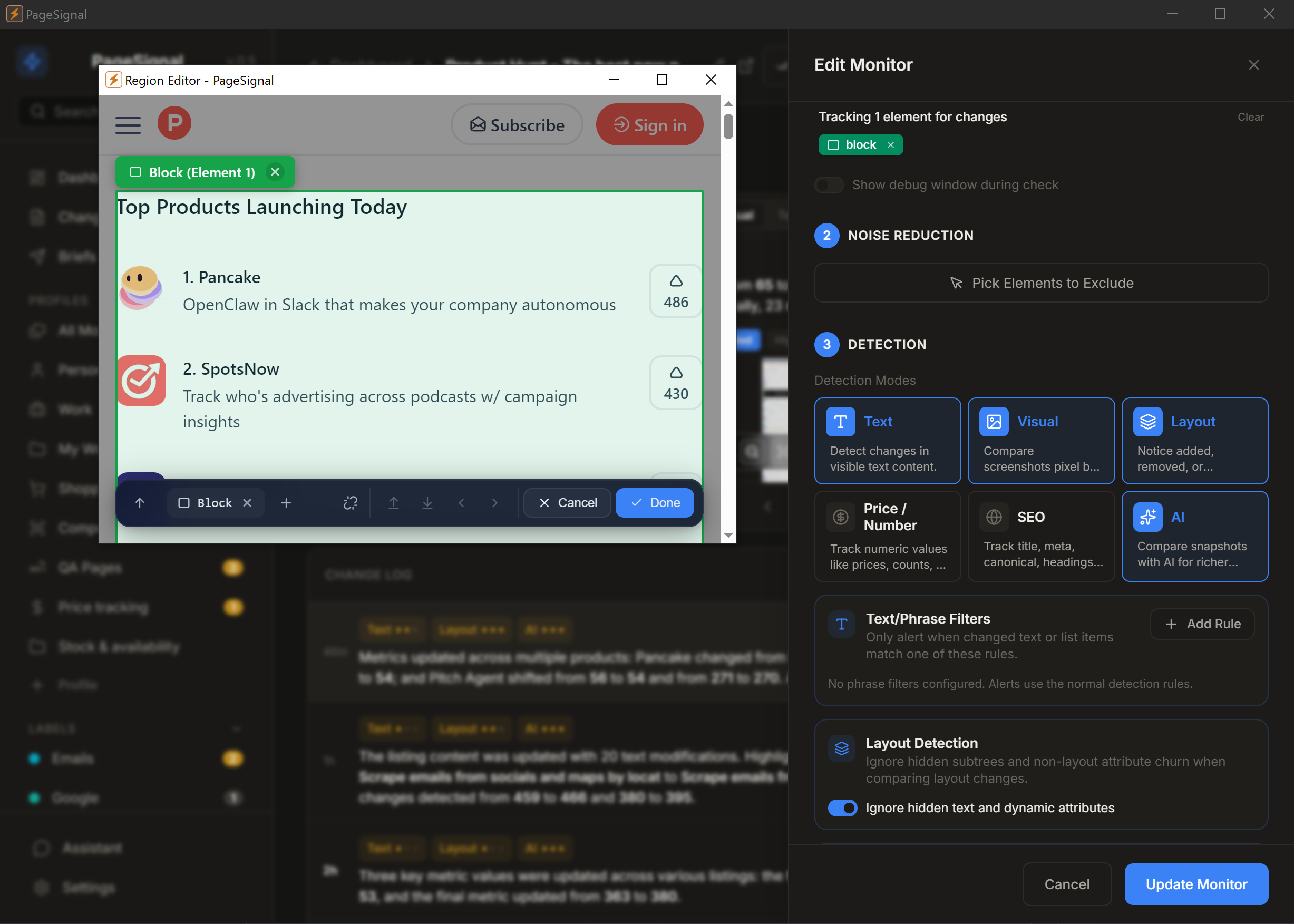
Select any element on a page to monitor just that — a price, button, paragraph, anything.
Get a daily brief of what matters most across the pages you watch.
Strips ads, timestamps, and carousels. Only real changes reach you.
Checks pages in a real browser so JavaScript, sessions, and dynamic content render correctly.
Set rules like "notify me only if price drops below $50" or "alert when 'Sold Out' disappears."
OpenAI, Anthropic, Google Gemini, or local Ollama. Your key, your model, your route — plain-English summaries of every change.
Reuses your active browser session to monitor pages behind authentication.
Human-like rendering with jitter bypasses Cloudflare and bot detection.
Immediate desktop alerts for active deals · Webhook into Telegram or your procurement tool · Daily digest for routine competitor tracking.
No accounts, no cloud, no complicated setup.
What should this monitor watch for? We'll set up the right detection, filters, and alerts that you can customize later.
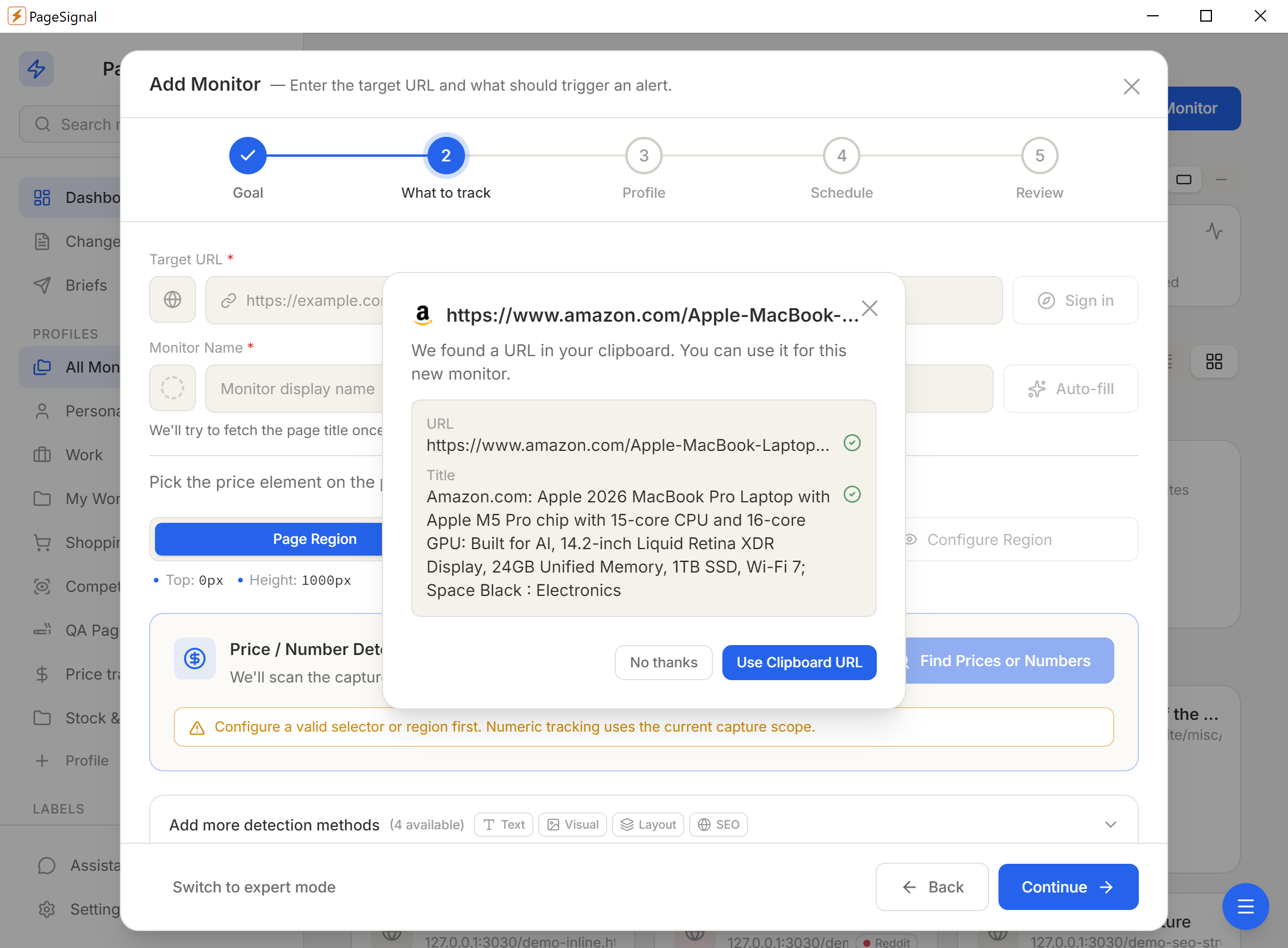
Pick one of six detection modes — or combine them with AND/OR gating on a single monitor.
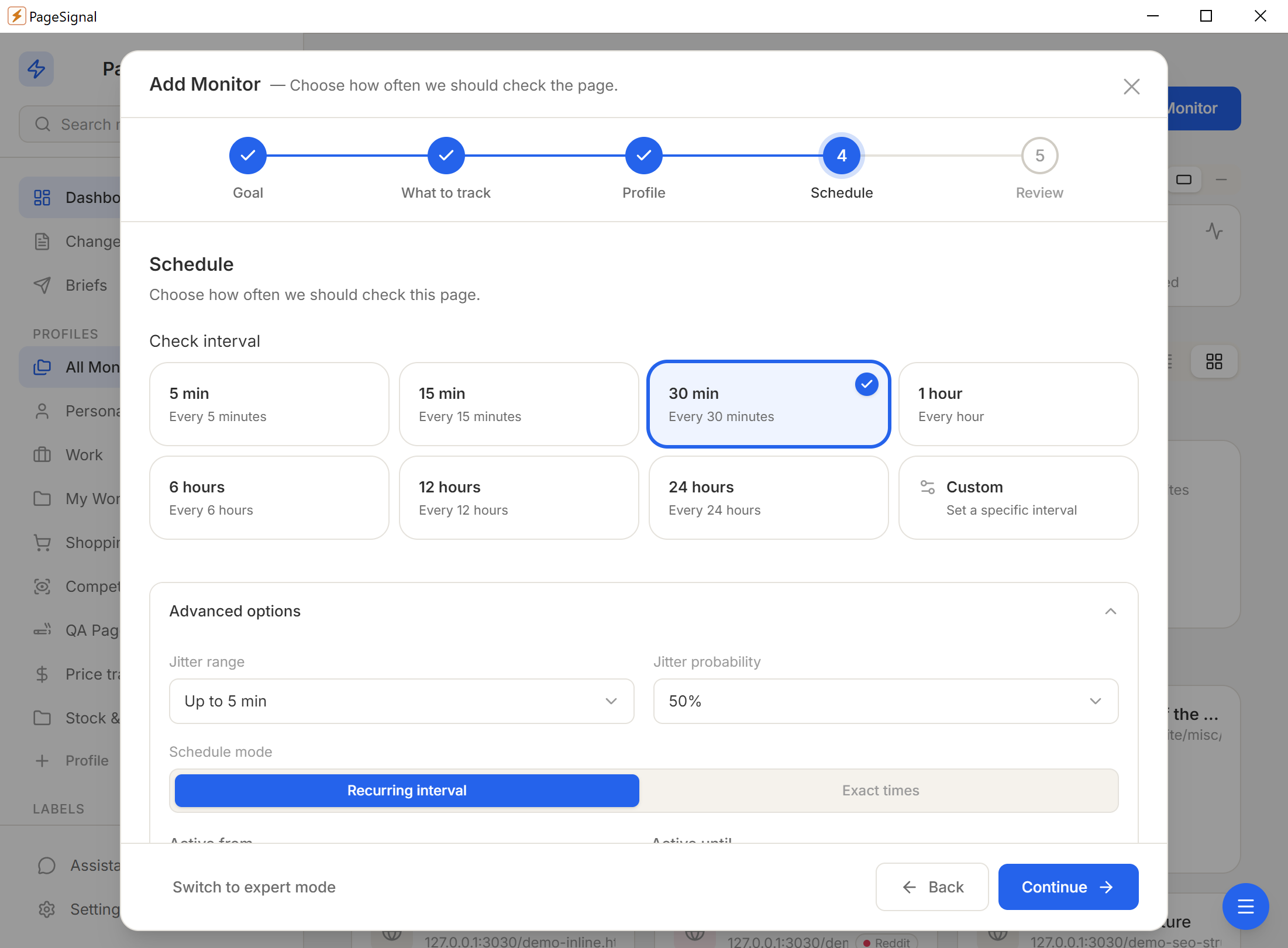
Schedule (60s–24h), text match rules, price thresholds, AI focus instructions, noise filters.
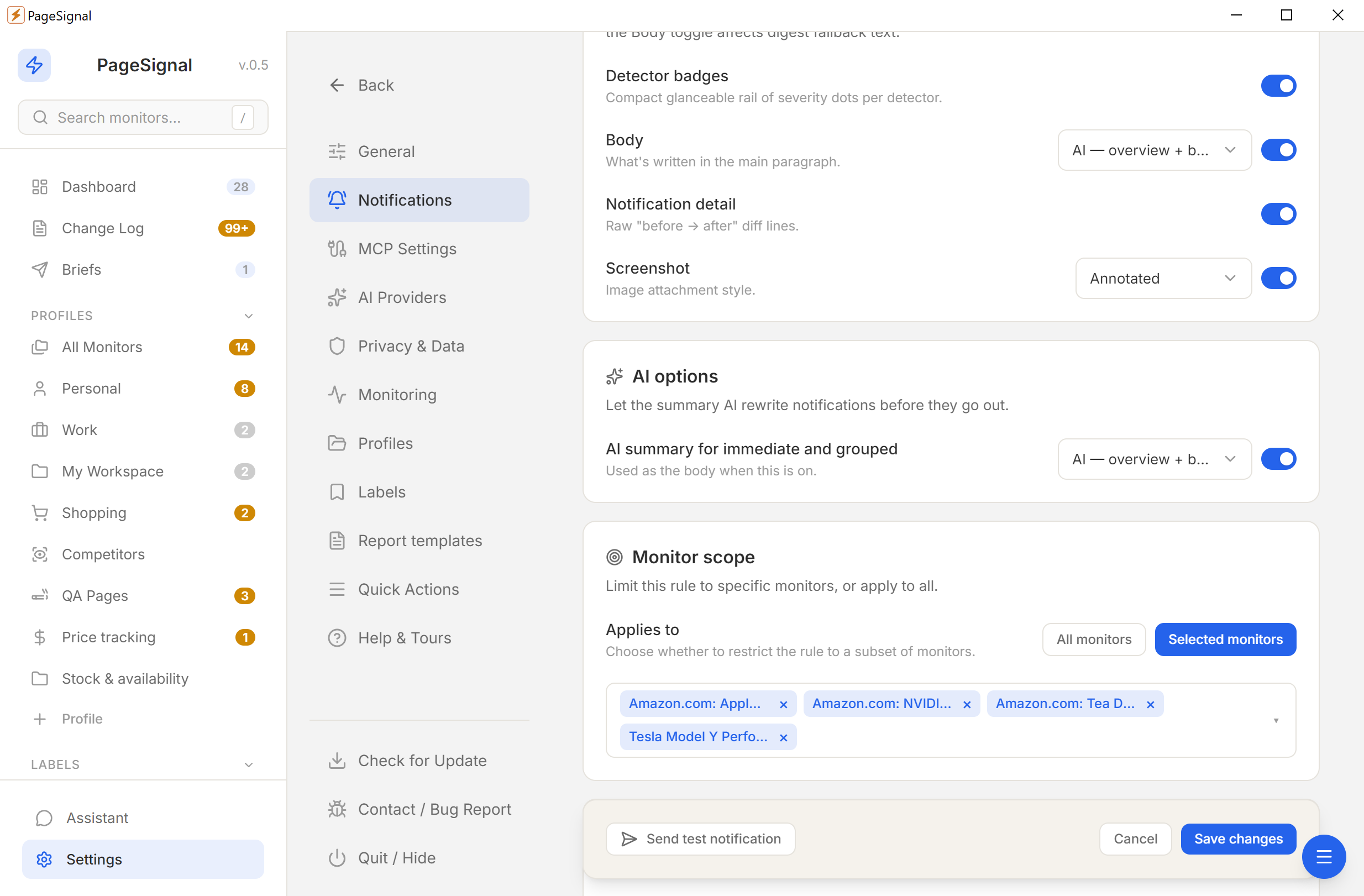
Desktop, email, Telegram, or webhook — immediate, grouped, or digest.
No accounts. No cloud. No tracking. Everything stays on your device.
Nothing touches a remote server.
No sign-ups or personal info.
No analytics, no phone-home.
YML and ZIP backups, anytime.